
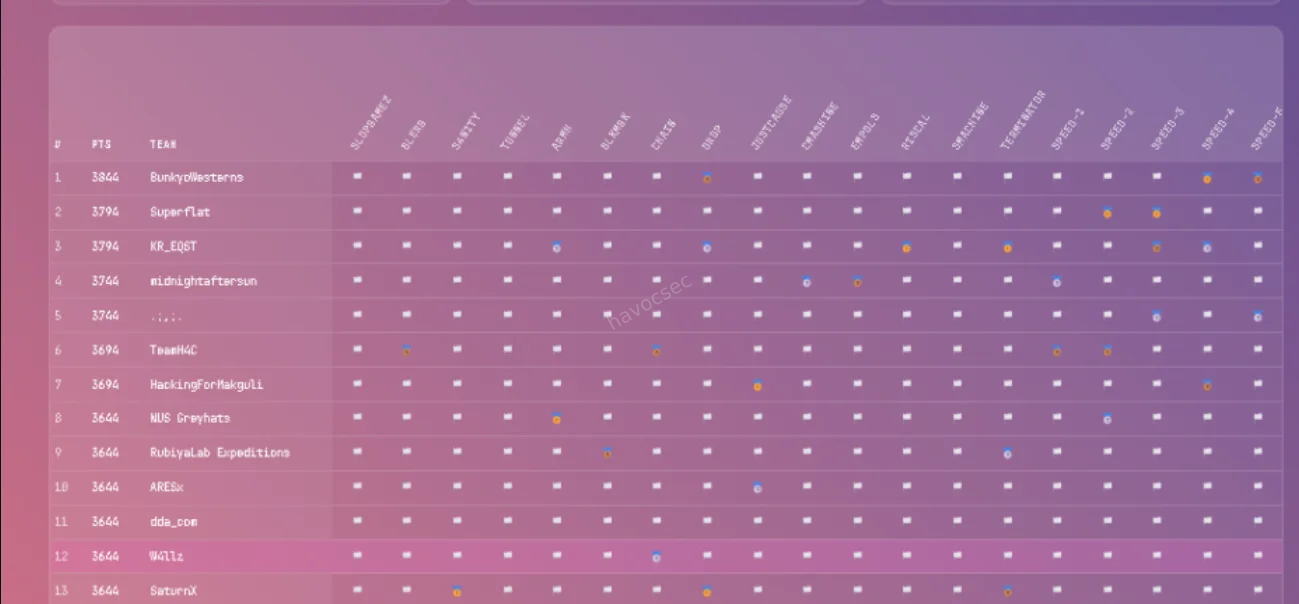

CTF: Midnight Sun CTF 2026
Platform: https://play.midnightsunctf.com/challenges
Challenges Covered: riscal, s4n1ty, slopgamez
This was real fun though a bit chaotic if you played you know what i mean but all in all i played with team w4llz and we did good came position 12th though the competition was very competitive and i had to drop out due to some personal issues though the ranking was really messed up and i think the organizers should have done something about it.giggles
Challenge 1: s4n1ty
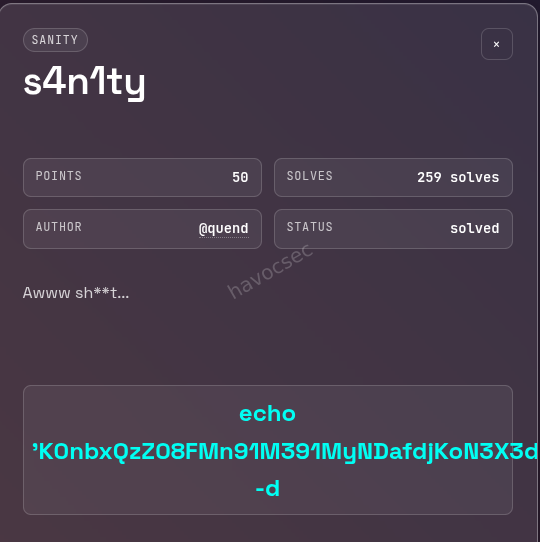
Category: Sanity Check
Description: “Awww sh**t…”
Objective: Execute the provided command to decode and retrieve the flag.
Background
The s4n1ty challenge is what the CTF community calls a “sanity check” — a challenge deliberately designed to be solved quickly, typically within the first few minutes of the competition. Its purpose is to confirm that players have successfully registered, connected to the platform, and understand the basic mechanics of flag submission. Despite being worth only 50 points, it is an important warmup that also tests a participant’s familiarity with core command-line tools: echo, rev, and base64.
Step 1: Reading the Challenge
The challenge page presented a single interactive element — a pre-filled command displayed in a terminal-style box:
echo 'K0nbxQzZ08FMn91M391MyNDafdjKoN3X3dHN7RHanlmbklWb' | rev | base64 -dNo additional hints or files were provided. The entire challenge is contained within this one line. Understanding what each component of the pipeline does is the key to solving it.
Step 2: Breaking Down the Command
The command chains three operations together using Unix pipes, where the output of each command feeds directly into the input of the next.
echo 'K0nbxQzZ08FMn91M391MyNDafdjKoN3X3dHN7RHanlmbklWb'
This outputs the string K0nbxQzZ08FMn91M391MyNDafdjKoN3X3dHN7RHanlmbklWb to standard output. At first glance this looks like a Base64-encoded string, but if you try to decode it directly without the next step, you get garbage output. That is intentional — the string has been reversed before being baked into the challenge.
| rev
The rev command reads each line from standard input and reverses the order of its characters, then writes the result to standard output. So K0nbxQzZ08FMn91M391MyNDafdjKoN3X3dHN7RHanlmbklWb becomes bWlkbmlnaHR7N... and so on, restoring the original Base64 string that was reversed to obscure it.
This is a simple but effective trick: the string looks like mangled Base64 at a glance, which might mislead someone who tries to decode it directly. Reversing it first restores the correct encoding.
| base64 -d
With the string now correctly oriented, base64 -d decodes it from Base64 into its original plaintext form — which is the flag.
Step 3: Executing the Command
Open a terminal and run the command exactly as shown on the challenge page:
$ echo 'K0nbxQzZ08FMn91M391MyNDafdjKoN3X3dHN7RHanlmbklWb' | rev | base64 -dThe shell processes the pipeline left to right: echo outputs the string, rev reverses it, and base64 -d decodes the result. The flag is printed directly to your terminal.
Flag
midnight{4ww_sh*7_h3r3_w3_g0_4g41n}Key Takeaways
Unix pipelines are powerful. The entire solve is one line. The ability to chain simple tools together — echo, rev, base64 — to accomplish a non-trivial transformation is a foundational skill in CTF work and in systems work generally. Understanding how pipes work, and what each tool in a chain contributes, is essential.
Sanity checks test tool familiarity. Even though this challenge is worth only 50 points, a competitor who does not know what rev does or has never used base64 -d will be momentarily stuck. These tools appear constantly in CTFs, particularly in beginner crypto and encoding challenges.
Reversed Base64 is a common encoding trick. The pattern of reversing a Base64 string before embedding it — making it look corrupted at first glance — appears in introductory CTF challenges fairly often. Recognizing it quickly saves time. If a string looks like Base64 but decodes to garbage, reversing it first is always worth trying.
Challenge 2: riscal
Category: Reverse Engineering
Architecture: RISC-V 64-bit (Little-endian)
Difficulty: Introductory / Speed
Objective: Identify the correct input string that satisfies the binary’s internal comparison logic and retrieve the flag.
Background
This challenge presents a stripped ELF binary compiled for the RISC-V 64-bit architecture. The core task is to figure out what string the binary expects as input, provide it, and receive the flag in return. Even though the binary cannot be executed natively on a typical x86 or x86-64 Linux machine, a combination of static analysis tools makes solving it entirely straightforward, which is precisely the lesson the challenge is designed to teach.
Step 1: Identifying the Binary
The first thing to do with any unknown file in a CTF is run the file command against it. This reads the file’s magic bytes and metadata to tell you exactly what you are dealing with.
$ file riscal
riscal: ELF 64-bit LSB pie executable, UCB RISC-V, version 1 (SYSV), dynamically linked, interpreter /lib/ld-linux-riscv64-lp64d.so.1, for GNU/Linux 4.15.0, stripped
There are several important things to note from this output:
ELF 64-bit LSB: This is a standard Linux executable format, 64-bit, using little-endian byte ordering.
UCB RISC-V: The binary targets the RISC-V instruction set architecture, which originates from UC Berkeley. This is not x86 or ARM, meaning you cannot simply run it on a standard desktop Linux machine without a RISC-V emulator such as qemu-riscv64.
Dynamically linked: The binary depends on shared libraries at runtime, specifically the RISC-V variant of the standard C library. This is relevant if you want to emulate and run it locally, because you would need those libraries available as well.
Stripped: The binary has had its symbol table removed. Function names, variable names, and other debugging symbols are gone. This makes decompilation slightly harder to read since tools like Ghidra will not be able to label functions with their original names automatically.
Despite these characteristics, the lack of native executability is not a barrier. Static analysis alone is sufficient to solve this challenge.
Step 2: Static Analysis with strings
Before opening any disassembler, it is always worth running strings on a binary. This tool scans the file for sequences of printable ASCII characters above a minimum length and prints them out. In introductory reversing challenges, this alone can reveal everything you need.
$ strings riscalAmong the output, several strings immediately stand out:
The flag:
midnight{RISCV_1S_4_34zy_1S4_70_unDeRst4Nd!!}A success message:
yeh!A failure message:
nah!The required passphrase:
Reversing and pwning are both science and artAt this point, the challenge is effectively solved. The passphrase the binary expects and the flag it will print upon success are both sitting unobfuscated in the binary’s data section. This is the fundamental weakness of introductory-level challenges: when no obfuscation or encryption is applied to the embedded strings, strings exposes everything.
Step 3: Understanding the Binary Logic Through Static Analysis
To go deeper and confirm what strings revealed, you can open the binary in a decompiler. Ghidra, which is free and supports RISC-V through its processor module, is a good choice. IDA Pro with the appropriate plugin also works.
When you load the binary into Ghidra and let it auto-analyze, it will identify the entry point and, from there, trace execution into what is effectively the main function (even though it is stripped and will not be labeled as such). The decompiled pseudocode reveals the following logic:
Input collection: The program calls fgets or a similar standard input function to read a line of text from the user into a buffer. The buffer is stack-allocated and sized to accommodate the expected passphrase.
String comparison: The program then calls strcmp, passing the user-supplied buffer and the hardcoded string "Reversing and pwning are both science and art". The strcmp function returns zero if the two strings are identical, and a nonzero value otherwise.
Branching on the result: The return value of strcmp is tested with a conditional branch instruction. In RISC-V assembly, this looks something like a beq (branch if equal) or bne (branch if not equal) instruction operating on the result register. If the strings match, execution jumps to the success block; otherwise it falls through to the failure block.
Success block: Prints yeh! followed by the flag string midnight{RISCV_1S_4_34zy_1S4_70_unDeRst4Nd!!}, then exits cleanly.
Failure block: Prints nah! and exits.
The logic is linear and contains no anti-debugging tricks, no obfuscated comparisons, no XOR-encoded strings, and no checksum validation. It is a direct comparison against a plaintext string stored in the binary’s read-only data section.
A brief note on reading RISC-V assembly: compared to x86-64, RISC-V has a cleaner and more consistent instruction set. It uses a fixed 32-bit instruction width, a straightforward register file with 32 general-purpose registers, and a load/store architecture where memory access is always explicit. If you are accustomed to x86, RISC-V assembly is generally easier to follow once you learn the register naming conventions (a0-a7 for function arguments and return values, s0-s11 for saved registers, t0-t6 for temporaries, ra for the return address, and so on).
Step 4: Solving the Challenge Remotely
The challenge exposes a service over the network at riscal.play.ctf.se on port 1338. The server is running the binary on a RISC-V-capable machine and waiting for input. Your job is to connect, provide the correct passphrase, and collect the flag.
Connect using netcat:
$ nc riscal.play.ctf.se 1338The binary prompts with something along the lines of flag:. At that point, type or paste the passphrase exactly as it appears:
Reversing and pwning are both science and artThe server responds with:
yeh! midnight{RISCV_1S_4_34zy_1S4_70_unDeRst4Nd!!}That is the flag. If you want to automate this for speed, you can pipe the passphrase directly using a shell one-liner:
$ echo "Reversing and pwning are both science and art" | nc riscal.play.ctf.se 1338Flag
midnight{RISCV_1S_4_34zy_1S4_70_unDeRst4Nd!!}Key Takeaways
Static analysis works regardless of architecture. The binary cannot be run natively on x86, but that does not matter. Tools like strings, file, objdump, and Ghidra operate on the file itself, not on a running process. Architecture-agnostic analysis is often sufficient, particularly at the introductory level.
strings is underrated. In CTFs, especially in speed-round or beginner categories, the strings command is frequently the fastest path to a solution. Running it first, before spending any time in a disassembler, is good habit. If the binary stores its comparison target and its flag as plaintext in the data section, strings will hand you both.
RISC-V is approachable. The flag itself hints at this: RISCV_1S_4_34zy_1S4_70_unDeRst4Nd. RISC-V’s reduced and regular instruction set means its assembly tends to be cleaner and easier to reason about than x86-64. It is worth learning the basics of the RISC-V calling convention and instruction set if you plan to encounter more challenges in this architecture, as it is increasingly common in CTF reversing categories.
Know when to go deeper. In this challenge, strings was enough. In harder challenges, strings will be encrypted, the comparison will be replaced with a custom algorithm, or the binary will use anti-analysis techniques. Recognizing when simple tools suffice versus when you need to commit to full disassembly and emulation is a skill that develops with practice.
Challenge 3: slopgamez
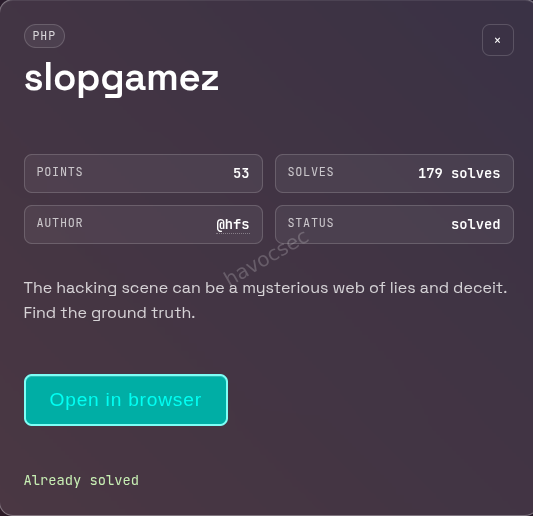
Category: Web / PHP
Description: “The hacking scene can be a mysterious web of lies and deceit. Find the ground truth.”
URL: http://slopgamez.play.ctf.se:13337/index.php?theme=themes/dark
Flag Format: midnight{}
Background
This is a web exploitation challenge centered on a PHP application that naively passes user-controlled input directly into a file inclusion function with no sanitization. The vulnerability class is called Local File Inclusion (LFI). The challenge is designed to test whether a competitor recognizes the dangerous pattern, knows how to probe it, and — critically — knows how to leverage PHP’s built-in stream wrappers to extract server-side source code without triggering its execution.
The application presents itself as a page titled “Wargaming Scene Phile”, containing a long nostalgic essay about the history of hacking wargames. This content is visual camouflage: the interesting part is the URL, not the page body.
Step 1: Reconnaissance — Reading the URL
The challenge URL is:
http://slopgamez.play.ctf.se:13337/index.php?theme=themes/dark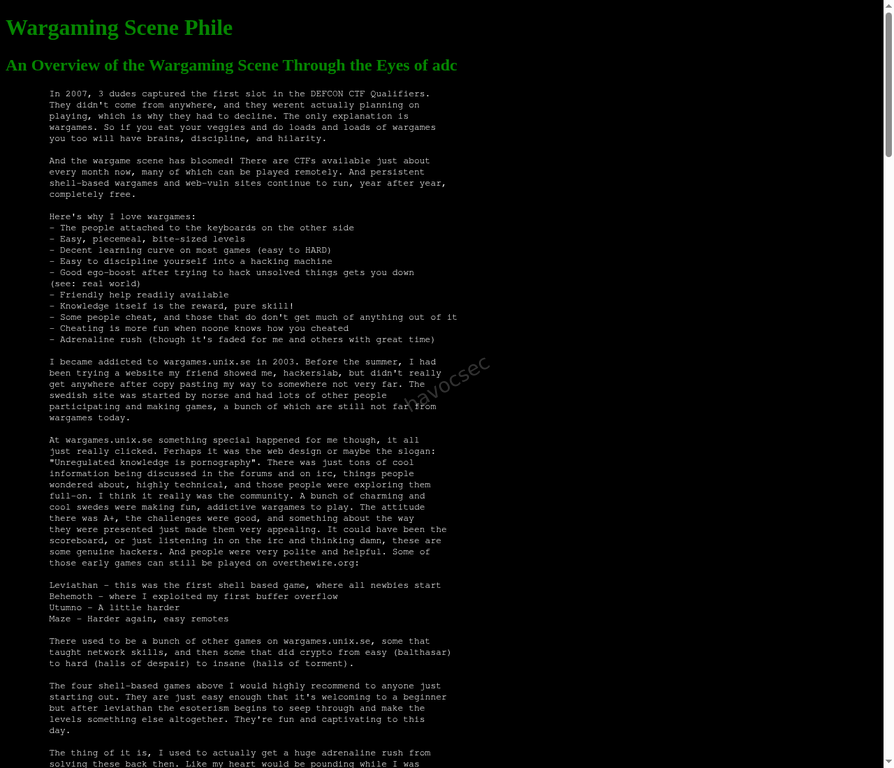
The theme GET parameter is the first thing to notice. Web applications that accept a filename or path fragment as a parameter and use it to load content on the server are a classic source of LFI vulnerabilities. The parameter name theme suggests the application is including a file from a themes directory to apply styling — a pattern where the developer assumed only valid theme names would be supplied.
When you navigate to the page, you see a styled wargaming essay. Inspecting the page source reveals that the content of the theme parameter is being included inside a <style> tag in the HTML head. This means whatever file the server includes gets output inside that tag. That behavior is what makes the vulnerability exploitable.
Step 2: Confirming the LFI Vulnerability
To confirm the application is vulnerable, the first test is to point the theme parameter at a well-known, always-present Linux file: /etc/passwd. This file contains the list of system user accounts and is readable by all users on a standard Linux system.
$ curl -s "http://slopgamez.play.ctf.se:13337/index.php?theme=/etc/passwd"The relevant portion of the response:
<style>
root:x:0:0:root:/root:/bin/bash
daemon:x:1:1:daemon:/usr/sbin:/usr/sbin/nologin
bin:x:2:2:bin:/bin:/usr/sbin/nologin
...
www-data:x:33:33:www-data:/var/www:/usr/sbin/nologin
...
</style>
The contents of /etc/passwd appear verbatim inside the <style> tag. This confirms the vulnerability beyond any doubt. The server is calling PHP’s include() function with the raw value of the theme parameter, with no path validation, no allowlist checking, and no sanitization of any kind.
At this point, the vulnerable code in index.php is almost certainly something like:
include($_REQUEST['theme']);Which is exactly what the decoded source code later confirmed.
Step 3: Attempting Common Flag Locations
With LFI confirmed, the natural first instinct is to check predictable flag locations. CTF challenges often place flags at:
/flag.txt/flag/root/flag.txt/home/www-data/flag.txt
$ curl -s "http://slopgamez.play.ctf.se:13337/index.php?theme=/flag.txt"None of these paths returned anything useful. The flag was not sitting in a plain file on the filesystem, which means it was hidden elsewhere — most likely inside the application’s own source code, possibly as a comment or a variable that would never appear in the rendered HTML output.
Step 4: Extracting the PHP Source Code via php://filter
This is where the solve becomes more interesting. Normally, if you include a PHP file via LFI, the PHP interpreter executes it rather than displaying it. You see the output of the script, not its source. To read the source code of a PHP file without executing it, you use PHP’s php://filter stream wrapper.
The php://filter wrapper allows you to apply transformation filters to a stream before reading it. The relevant filter here is convert.base64-encode, which reads the target file and encodes its raw bytes as Base64. Since Base64 output is not valid PHP code, the interpreter outputs it as plain text rather than executing it. This gives you the entire file content, safely encoded, which you can then decode offline.
The request looks like this:
$ curl -s "http://slopgamez.play.ctf.se:13337/index.php?theme=php://filter/convert.base64-encode/resource=index.php"Breaking down the wrapper syntax:
php://filter— activates the PHP filter stream/convert.base64-encode— applies the Base64 encoding filter/resource=index.php— specifies the file to read, which isindex.phpitself (the currently running script)
The server processes this as a valid include() target, runs the filter, and outputs a large block of Base64-encoded text inside the <style> tag in the HTML response.
Step 5: Decoding the Source Code
With the Base64 blob in hand, the next step is to extract it cleanly and decode it. The following one-liner does this in a single pipeline:
$ curl -s "http://slopgamez.play.ctf.se:13337/index.php?theme=php://filter/convert.base64-encode/resource=index.php" \
  | sed -n '/<style>/,/<\/style>/p' \
  | sed 's/<style>//;s/<\/style>//' \
  | tr -d ' \n' \
  | base64 -d
What each stage does:
curl -s ... — fetches the page silently (no progress bar).
sed -n '/<style>/,/<\/style>/p' — extracts only the lines between the opening and closing <style> tags, where the Base64 blob is embedded.
sed 's/<style>//;s/<\/style>//' — strips the <style> and </style> tags themselves from the output, leaving only the Base64 content.
tr -d ' \n' — removes all spaces and newlines, because the Base64 blob may be wrapped across multiple lines in the HTML response, and base64 -d needs a clean continuous string.
base64 -d — decodes the Base64 string back into the original PHP source.
Step 6: Reading the Decoded Source
The decoded index.php source code is:
<?php

    // FLAG: midnight{w4ch00_t4lk1ng_4b0ut_w1ll1s}

    if (empty($_REQUEST['theme'])){
        header('Location: index.php?theme=themes/dark');
        exit(0);
    }
?>

<!DOCTYPE html>
<html>

    <head>
        <title>Wargaming Scene Phile</title>
        <style>
            <?php
                include($_REQUEST['theme']);
            ?>
        </style>
    </head>
    ...
The flag is sitting in a PHP comment at the very top of the file: // FLAG: midnight{w4ch00_t4lk1ng_4b0ut_w1ll1s}. PHP comments are never sent to the browser under normal circumstances — they exist only in the source code on the server. This is why no amount of inspecting the rendered page or its HTML source would have revealed it. The only way to see a PHP comment is to read the raw source file, which is exactly what php://filter allowed us to do.
The rest of the source also confirms the vulnerable code. The include($_REQUEST['theme']) call on line 18 is the LFI sink. There is no input validation anywhere. The only “protection” is the default redirect: if theme is not set at all, the user is sent to themes/dark. Once theme is set to anything, it is passed directly to include().
Flag
midnight{w4ch00_t4lk1ng_4b0ut_w1ll1s}Key Takeaways
Recognize file inclusion patterns immediately. Any time you see a URL parameter that looks like a filename, a path, or a template name, LFI should be the first thing you test. The parameter name theme is a classic signal.
php://filter is essential knowledge. This technique — using convert.base64-encode to read PHP source without executing it — is one of the most important tools in web CTF and real-world PHP assessment work. It bypasses the interpreter and gives you raw file access. Knowing it cold saves significant time.
Flags can be hidden anywhere in source code. In this challenge, the flag was not in the HTML output, not in a database, and not in a separate file. It was in a PHP comment that is invisible to anyone reading the page normally. This reinforces the value of source code review as part of any web challenge: the interesting information is often in the parts of the code that are never shown to users.
One-liner pipelines are a superpower. The full extraction and decoding of the source was accomplished in a single chained command using curl, sed, tr, and base64. Being comfortable building these pipelines quickly is a major time advantage in speed-based CTF formats.
HAPPY HACKING!
Comments